Camtasia, a comprehensive screen recording and video editing solution, for content creators, educators, marketers, and business professionals. Capture and edit webinars or tutorials effortlessly. Elevate your video projects with the trusted tool for…
TechSmith Capture is a user-friendly application offering a straightforward approach to capturing fundamental screenshots and screen recordings, allowing for seamless sharing among multiple users.
A transcription and video editing platform for marketing, sales, research, eLearning, and support teams. It streamlines collaboration with folders, feedback tools, version tracking, and commenting.
Captura captures high resolution screencasts (h264, FFMpeg mp4) with and without mouse cursor. It captures specific regions or windows. Furthermore it can capture mouse clicks or Keystrokes. It can record audio from microphone.
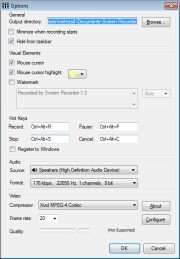
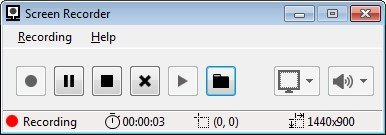
Screen Recorder is a screen recorder software for Windows environment written in C# and C++. Screen Recorder records specific part of Windows desktop screen as an AVI file. The option of recording system playback sound or sound from input sound devices is also available.
Features:
- User-specified capture region in four ways: Full Screen, Fixed Part of Desktop, Window Region, Tracking Mouse Cursor (new) - Recording system playback sound or sound from input sound devices, with customizable format (new) - Including or excluding mouse cursor in the recorded video - Mouse cursor shadow (new) - Watermark text with customizable style (new) - Customizable hot keys - User-specified video compressor and fps - High quality video, small output file - Easy to use and friendly user interface
An upgraded commercial version of this product is available on the Windows Store. It features MP4 output, H264 encoding, in-game recording and more.