Select your language

Home arrow-right ... arrow-right Video Software arrow-right Video Editing Software arrow-right VEED

We've compiled a list of 62 free and paid alternatives to VEED. The primary competitors include Wistia, Adobe Premiere Pro. In addition to these, users also draw comparisons between VEED and Camtasia, DaVinci Resolve, Shotcut. Also you can look at other similar options here: Video Software, Video Editing Software.


Wistia
Subscription Free Free Trial

Create, edit, host, and market videos effortlessly with Wistia's business-centric platform. Measure video performance and generate leads seamlessly. Amplify your video strategy today.

Camtasia
Subscription Free Trial

Camtasia, a comprehensive screen recording and video editing solution, for content creators, educators, marketers, and business professionals. Capture and edit webinars or tutorials effortlessly. Elevate your video projects with the trusted tool for…

DaVinci Resolve
One Time License Free

DaVinci Resolve is a professional video editing software that combines editing, color correction, visual effects, and audio post-production in one platform. It streamlines film and video workflows, delivering high-quality content with advanced tools…

iMovie is a free video editing software for Apple devices. It allows users to edit videos with tools like color correction, stabilization, and audio enhancement. iMovie supports 4K editing and provides templates, making video creation simple and eff…

OpenShot
Free Open Source

We designed OpenShot Video Editor to be an easy to use, quick to learn, and surprisingly powerful...

Blender
Free Open Source

Blender is a versatile open-source 3D creation suite designed for modeling, sculpting, animation, and rendering. It includes the Cycles render engine for creating realistic visuals, along with advanced VFX tools and robust animation and rigging capa…

D-ID
Subscription Free Trial

Leverages AI to transform videos into realistic, high-quality avatars. Ideal for e-learning, corporate training, and more, it enables personalized, engaging media through cutting-edge machine-learning models.

Cloud-based video editor with features for editing, recording, hosting, and sharing videos. Offers subtitling, translation, noise reduction, cropping, and branding.

VEED Platforms

Web-Based Web-Based

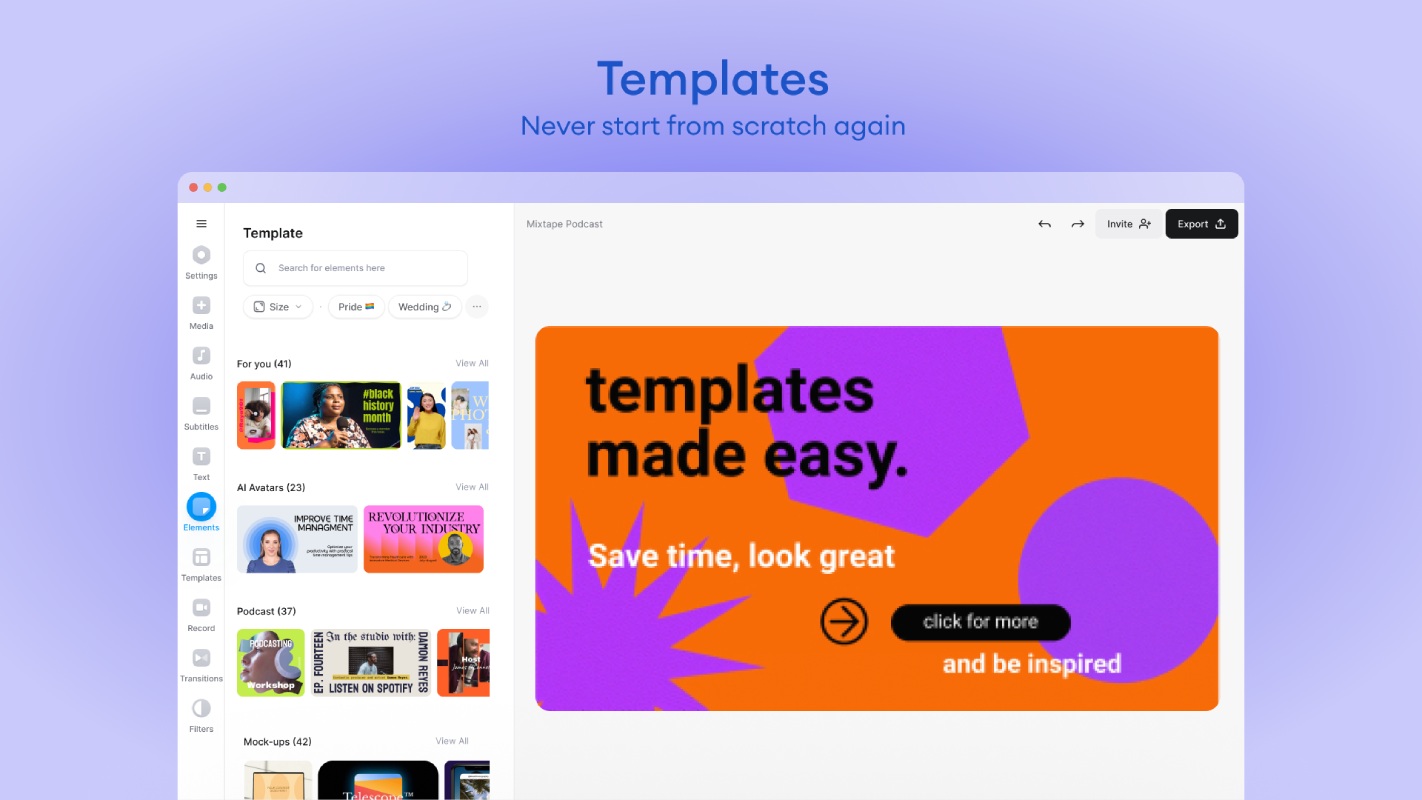
VEED Video and Screenshots

VEED Overview

VEED is an online video editing platform designed to simplify the video creation and editing process. With an intuitive interface, users can easily perform complex tasks such as adding subtitles, transforming text into video, and automating voice translations. The platform enables users to work efficiently without needing additional software, offering a user-friendly experience for video creators of all levels.

VEED supports various video formats, including AVI, and provides advanced features like color correction, visual effects, and screen, webcam, and voice recording tools. These features allow users to produce high-quality videos quickly. With over 4 million global users, VEED has established itself as a reliable and popular tool for creating professional video content.

VEED Features

tick-square Workflow Management
tick-square Voice Generator
tick-square Video Stabilization
tick-square Video Marketing
tick-square Video Hosting
tick-square Video Editing
tick-square Video Capture
tick-square Version Control
tick-square Text Overlay
tick-square Text Editing
tick-square Subtitles/Closed Captions
tick-square Speed Adjustment
tick-square Social Sharing
tick-square Screen Recording
tick-square Recording
tick-square Multi-Voice
tick-square Multi-Language
tick-square Motion Tracking
tick-square Media Library
tick-square Machine Translation
tick-square For Online Learning
tick-square File Transfer
tick-square File Management
tick-square Drag & Drop
tick-square Customizable Branding
tick-square Custom Voices
tick-square Color Grading
tick-square Categorization/Grouping
tick-square Audio Editor
tick-square Animation
tick-square AI Voices
tick-square Multiple Output Formats
tick-square Split/Merge
tick-square Video Archiving
tick-square Text to Video
tick-square Supports HD Resolution
tick-square Brand Overlay
tick-square Audio Capture
tick-square For Marketers
tick-square For Sales Teams/Organizations
tick-square Audio Mixing
tick-square Voice-Over/Audio
tick-square Video Creation
tick-square Privacy Options
tick-square Animations & Transitions
tick-square Rapid Creation
tick-square Mobile Screen Support
tick-square Closed Captions
tick-square Bulk Uploading
tick-square Content Creation
tick-square Video Streaming
tick-square Presentation Streaming
tick-square Multiple Format Support
tick-square Publishing/Sharing
tick-square Video Support
tick-square Video Management
tick-square Metadata Management
tick-square Preview Functionality
tick-square Multimedia Support
tick-square SSL Security
tick-square Multi-Channel Distribution
tick-square Image Library
tick-square Customizable CTAs
tick-square Social Promotion
tick-square User Interaction Tracking
tick-square Behavior Tracking
tick-square Website Analytics
tick-square Content Library
tick-square Content Management
tick-square Transcripts/Chat History
tick-square Communication Management
tick-square Templates
tick-square Engagement Tracking
tick-square Single Sign On
tick-square Customizable Templates
tick-square Real Time Data
tick-square Multi-Channel Marketing
tick-square Commenting/Notes
tick-square Collaboration Tools
tick-square Search/Filter
tick-square Activity Dashboard
tick-square Template Management
tick-square Reporting & Statistics
tick-square Project Management
tick-square Alerts/Notifications
tick-square Activity Tracking
tick-square Access Controls/Permissions
tick-square Reporting/Analytics
tick-square Image Editing
tick-square User Management
tick-square Watermarking
tick-square Natural Language Processing
tick-square Speech Recognition

Share your opinion about the software, leave a review and help make it even better!

Suggest Changes

() out of 5

Your Feedback

Select a rating
Please select a rating

Your vote has been counted.

Do you have experience using this software?