We've compiled a list of 34 free and paid alternatives to Explain Everything. The primary competitors include Prezi, Khan Academy. In addition to these, users also draw comparisons between Explain Everything and Keynote, Google Slides, GeoGebra. Also you can look at other similar options here: Education and Reference Software.
We've compiled a list of 34 free and paid alternatives to Explain Everything. The primary competitors include Prezi, Khan Academy. In addition to these, users also draw comparisons between Explain Everything and Keynote, Google Slides, GeoGebra. Also you can look at other similar options here: Education and Reference Software.
Software that lets create, edit, and manage multimedia presentations. Add charts, edit images, and integrate cinematic effects using customizable themes and backgrounds.
Microsoft PowerPoint is an AI-powered tool designed to help users create outlines, design slides, and organize content for professional presentations. It provides real-time feedback with Presenter Coach, summarizes key points, incorporates your orga…
ArcLab is an AI-powered mobile learning platform designed to enhance workforce training and performance. ArcLab helps organizations create and deliver targeted training content to deskless workers, improving productivity and business outcomes. It al…
An AI-powered learning platform with flashcards, practice tests, expert solutions, and an AI tutor, Q-Chat. Magic Notes auto-generates study materials, while spaced repetition boosts retention.
Online graphic design platform with ready-made templates and image editing tools. Users can upload custom assets, fonts, and sounds to personalize their designs.
Flowsparks is a user-friendly online platform that makes it easy to create, manage, and update digital training materials. With Flowsparks, organizations can quickly design engaging courses that include interactive elements and gamification to keep …
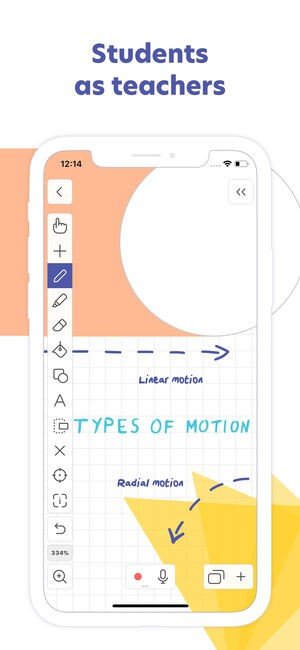
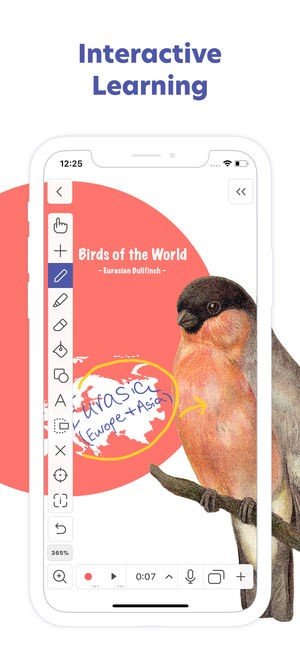
Explain Everything is an easy-to-use design, screencasting, and interactive whiteboard tool that lets you annotate, animate, narrate, import, and export almost anything to and from almost anywhere.
Create slides, draw in any color, add shapes, add text, and use a laser pointer. Rotate, move, scale, copy, paste, clone, and lock any object added to the stage.
Add photos, videos, shapes, import PDF documents from local storage, Google Drive, Dropbox or insert a fully functioning web browser window. Export MP4 movies, YouTube videos or save Explain Everything projects locally, to Google Drive and to Dropbox.