AirDroid is an all-in-one mobile device management (MDM) solution that enhances multiscreen experiences with features like file transfer, remote access, Kiosk Mode, and Black Screen Mode. It also provides device management, geofencing, app managemen…
NordLayer is an enterprise VPN solution that provides secure access to corporate networks and resources from anywhere in the world. It offers advanced encryption protocols, dedicated IPs, access control, and multifactor authentication.
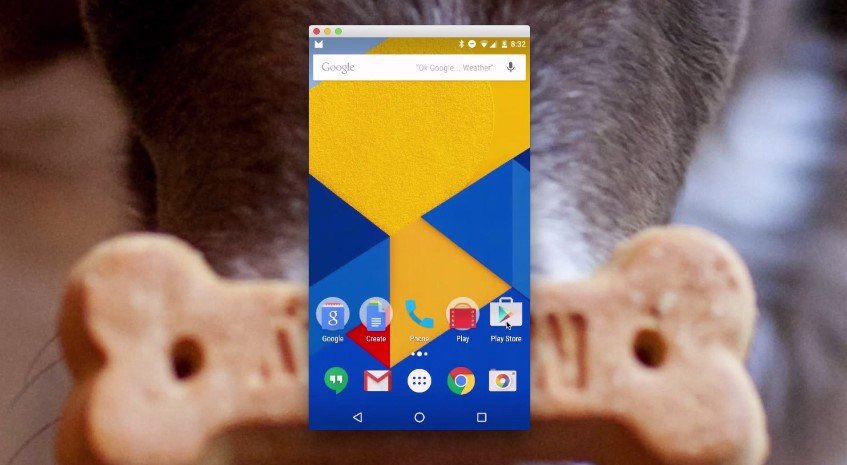
Vysor lets users mirror and control Android devices from a desktop. It enables screen sharing, file transfers, and app interaction via mouse and keyboard. Ideal for testing, presentations, and remote support. Simplifies Android device access from Windows, Mac, or Linux.
Vysor lets users mirror and control Android devices from a desktop. It enables screen sharing, file transfers, and app interaction via mouse and keyboard. Ideal for testing, presentations, and remote support. Simplifies Android device access from Windows, Mac, or Linux.
Vysor Platforms
Linux
Mac
Web-Based
Windows
Vysor Video and Screenshots
Vysor Overview
Vysor is a software tool that enables users to mirror and control their Android devices directly from a computer. It allows seamless interaction with mobile screens using a mouse and keyboard, improving productivity and simplifying device management. The software supports screen sharing, app testing, and debugging, making it ideal for developers and tech professionals. Vysor offers high-quality screen mirroring with low latency and supports multiple resolutions, which ensures smooth performance across different devices. It also includes features like drag-and-drop file transfer, screenshot capture, and screen recording to facilitate efficient content management and troubleshooting.
The key advantage of Vysor is its ease of use and broad compatibility with Windows, macOS, and Linux platforms. It provides a wireless connection option along with USB support, enhancing flexibility for various workflows. Vysor's interface is intuitive, allowing quick setup without complex configuration. Its real-time device control helps reduce the need for switching between devices physically, saving time and increasing workflow efficiency. By integrating mobile and desktop environments, Vysor helps professionals streamline their tasks, improving both testing accuracy and remote device management. This makes Vysor a valuable tool for users needing effective Android device control on a computer.