Select your language

Home arrow-right ... arrow-right Audio and Music Software arrow-right Noteshelf

We've compiled a list of 23 free and paid alternatives to Noteshelf. The primary competitors include Notezilla, Standard Notes. In addition to these, users also draw comparisons between Noteshelf and CherryTree, Alternote, Boostnote. Also you can look at other similar options here: Audio and Music Software.

CherryTree
Free Open Source

A hierarchical note taking application, featuring rich text and syntax highlighting, storing data...

Notability
One Time License

Notability is a note-taking app that lets users create, organize, and annotate digital notes. It supports handwriting, typing, audio recording, and PDF annotation. Designed for students and professionals to enhance productivity and streamline inform…

Noteshelf Platforms

iPad iPad
iPhone iPhone

Noteshelf Video and Screenshots

Noteshelf Overview

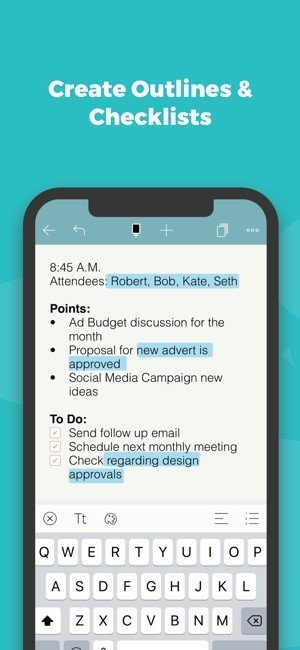
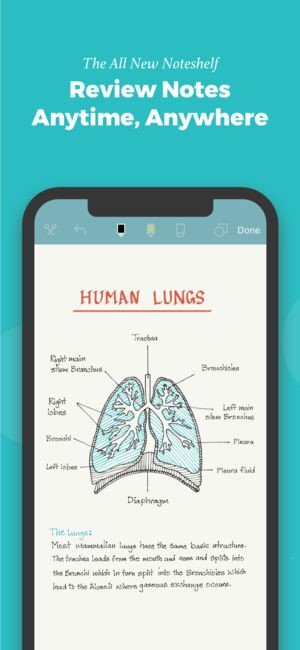
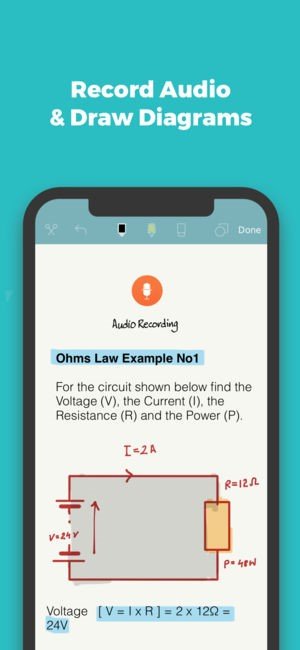
Take beautiful handwritten notes or annotate PDFs on your iPad, and now even on your iPhone. With the new Noteshelf you can do all of the familiar, like type notes, record audio, draw shapes, sketch, sign contracts, fill forms, along with a lot of new, like add bookmarks, create lists, notebook categories, and much more.

Noteshelf also works with all popular cloud services including iCloud, Dropbox, Evernote, Google Drive and OneDrive. Also share your notes with colleagues, friends or family through email, Facebook and Twitter.

For iPad & iPhone
Noteshelf for iPhone is finally here! It includes all the features of the iPad edition and a unique user experience that is optimized for the mobile screens.
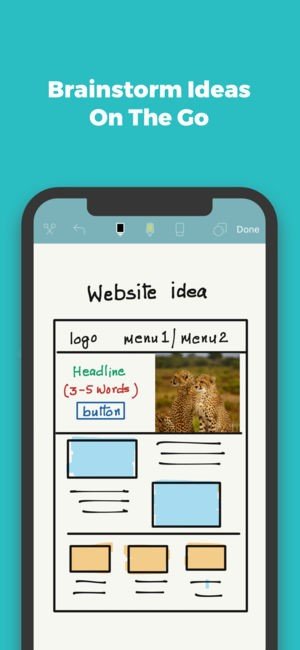
You can now jot down your ideas or lookup your notes while on the move, on your iPhone or iPad.

Fluid Handwriting
Writing in Noteshelf is so smooth and fluid, it feels just like writing on paper.
Choose from our range of writing tools including pens, pencils and highlighters, available with different color and size options to suit your needs.
Our unique ink pen creates a calligraphic effect to make your handwriting look gorgeous!
Use the zoom option for more close-up and detailed writing or drawing.

Apple Pencil & Other Stylus Support
Apple Pencil & Noteshelf are a match made in heaven—you will never miss using a pen and paper again! (Note that Apple Pencil requires an iPad Pro)
If an Apple Pencil does not meet your budget, any iPad/iPhone stylus will work well with Noteshelf. Our favorite is the Wacom Bamboo Solo.
We also support a host of smart styli from our partners Adonit, Wacom and FiftyThree. Visit noteshelf.net for more details.

Markup Documents & Images
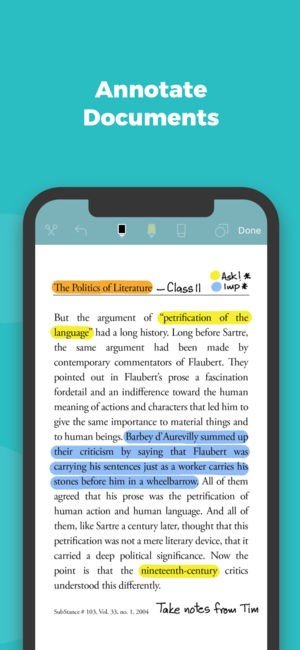
Import PDFs, MS Office documents or images and open in Noteshelf as notebooks.
Highlight and underline information or write notes on your documents/images directly on your iPad or iPhone.

And much more…

Noteshelf Features

tick-square Notetaking
tick-square Voice Notes
tick-square Sync with Dropbox
tick-square Protected by Password
tick-square Visual Organization
tick-square PDF annotation
tick-square Sync with iCloud
tick-square Handwritten Notes
tick-square Audio Recording
tick-square Support for styluses
tick-square Apple Pencil support

Share your opinion about the software, leave a review and help make it even better!

Noteshelf Tags

notepad note-taking

Suggest Changes

() out of 5

Your Feedback

Select a rating
Please select a rating

Your vote has been counted.

Do you have experience using this software?