We've compiled a list of 100 free and paid alternatives to ManageEngine ADManager Plus. The primary competitors include 1Password, SpiderOak. In addition to these, users also draw comparisons between ManageEngine ADManager Plus and GitLab, Lucidchart, Box. Also you can look at other similar options here: Office and Productivity Software.
We've compiled a list of 100 free and paid alternatives to ManageEngine ADManager Plus. The primary competitors include 1Password, SpiderOak. In addition to these, users also draw comparisons between ManageEngine ADManager Plus and GitLab, Lucidchart, Box. Also you can look at other similar options here: Office and Productivity Software.
1Password is a password management software designed to securely store and organize passwords, providing users with a centralized solution for managing their credentials.
Open-source, end-to-end encrypted password management for enterprises and individuals. Store and share sensitive data across any device, with cloud or on-premise deployment.
An automation platform to streamline workflows and eliminate repetitive tasks. Boost efficiency with collaboration and security features designed for teams of any size.
Accelerates websites by globally distributing content via 79+ data centers, ensuring delivery with HTTP/2 and SPDY fallback. Optimizes dynamic content, reducing delays and enhancing user experience.
Active Directory Bulk User Creation Create users in bulk in a domain by specifying all the attributes including Exchange (2003, 2007, 2010, 2013), Lync/LCS/OCS, Terminal Services, Office 365 & Google Apps attributes via user provisioning templates. Add users by copying properties of another user. Import user properties from a CSV file, with the only mandatory property being the User's name (givenName). Create and use templates with common user attributes. Create users in an existing container or create a new OU in a domain and add users to it. Learn more... Bulk User Modification
Some of the important attributes that can be modified using ADManager Plus include:
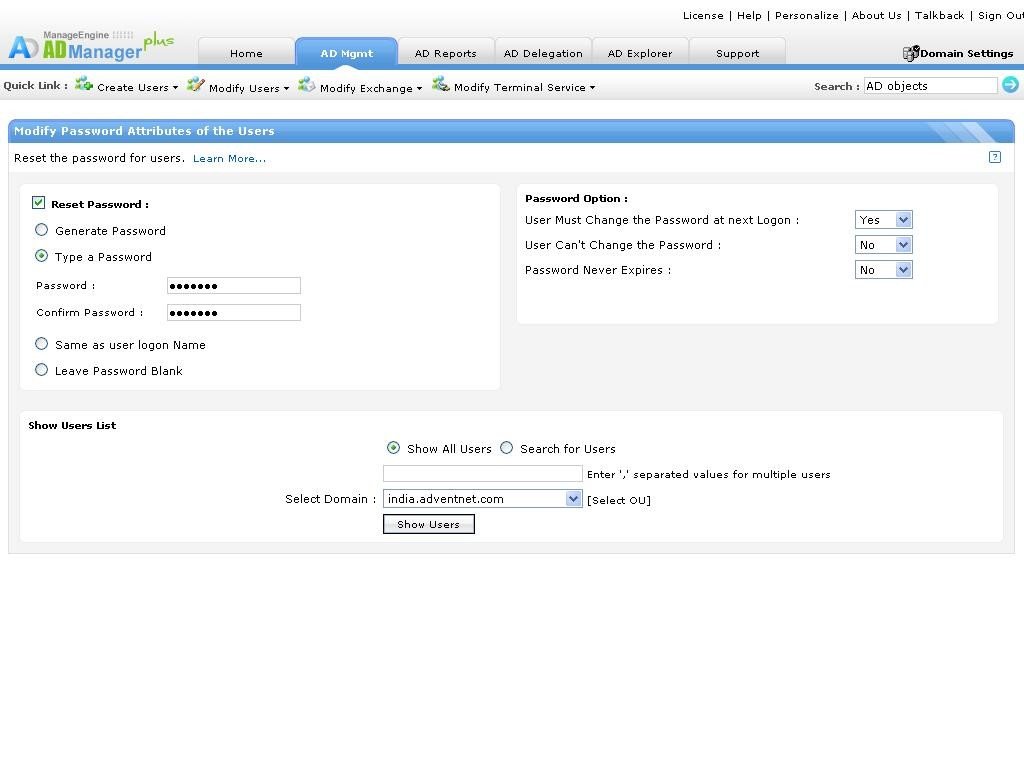
Reset Passwords of Active Directory Users
Reset Password Modify the Name, Display Name, Logon Name, and SAM Account Name formats. Enable/disable users, Unlock users, and set user account expiry. Set Home Folder, Profile, and Script Path for users. Move users to a different container. Learn how to move user accounts Updating membership of Groups and Distribution lists. Mobile-based User Modification. More about ADManager Plus mobile apps. Learn more... Exchange Attributes
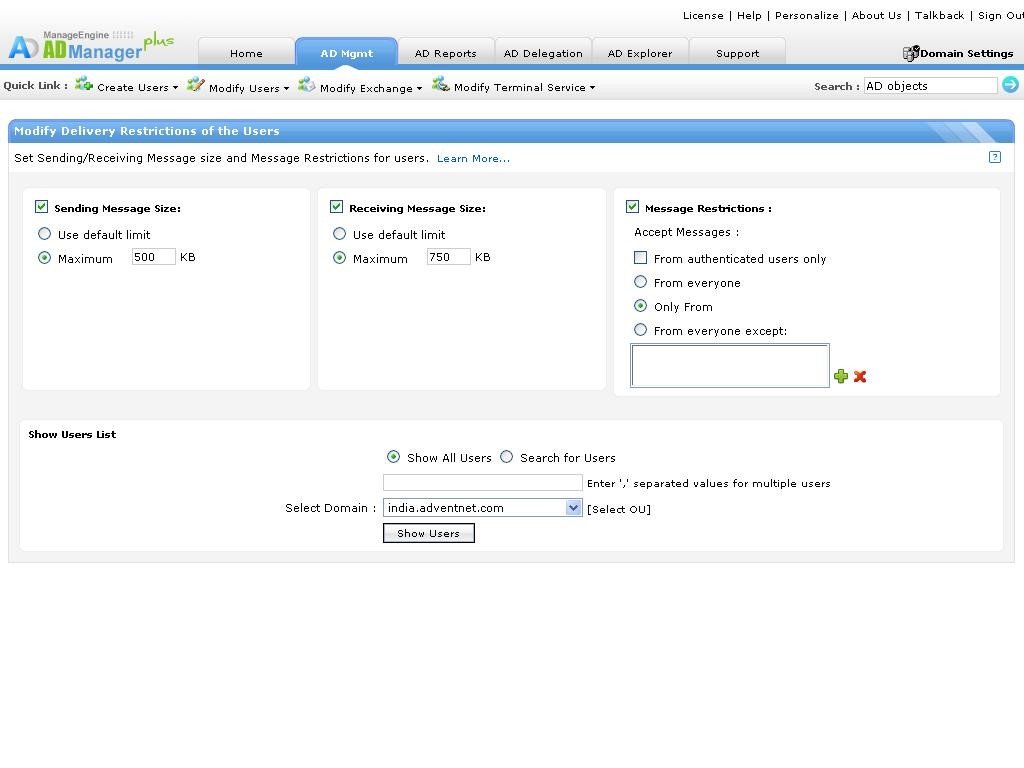
Modify Exchange Attributes Create Exchange Server 2003, 2007, 2010 and 2013 Mailboxes for users. Set Sending/Receiving Message size and Message Restrictions for users. Set the Mailbox Storage Limits and restrict Forwarding Addresses for users. Modify the mail storage limits and deleted item retention policy. Enable/Disable Outlook Mobile access, Outlook Web access, IMAP4 and POP3 protocols.
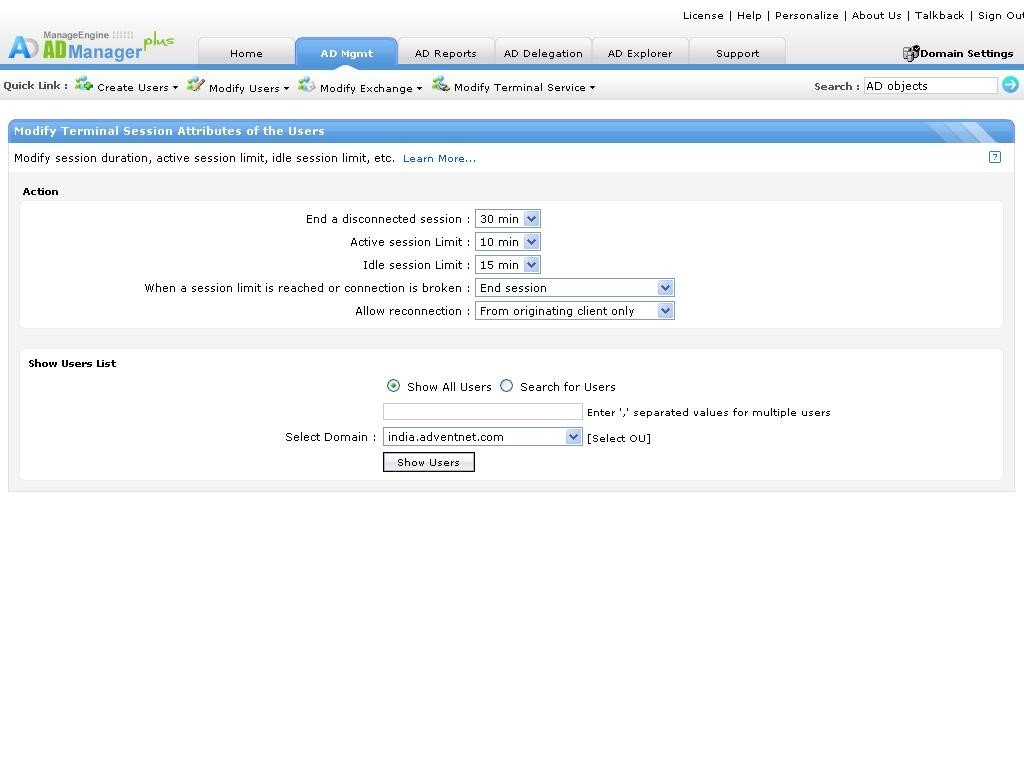
Terminal Service Attributes Modify Terminal Services Attributes Modify Terminal Services Home Folder and Profile Path for users. Modify start programs for users logging from Terminal Services. Modify session duration, active session limit, idle session limit, etc. Enable/Disable remote control properties.