We've compiled a list of 55 free and paid alternatives to Geekbot. The primary competitors include Box, Asana. In addition to these, users also draw comparisons between Geekbot and Synergy, Coda, eM Client. Also you can look at other similar options here: Office and Productivity Software.
We've compiled a list of 55 free and paid alternatives to Geekbot. The primary competitors include Box, Asana. In addition to these, users also draw comparisons between Geekbot and Synergy, Coda, eM Client. Also you can look at other similar options here: Office and Productivity Software.
Asana is a comprehensive project management software that enables teams to efficiently manage tasks and projects. Its features include task creation and assignment, priority setting, progress tracking, and file attachment.
Coda was a macOS-based web development application by Panic, combining a text editor, FTP client, terminal, and preview pane in a single interface. It supported multiple programming languages, real-time collaboration, and plugin extensibility.
A leading collaboration platform favored by global teams. From local to remote teams, Basecamp simplifies collaboration, document sharing, project scheduling, and more without meetings or emails. Explore our great reviews and try it for free today!
Your all-in-one workspace for wiki, documents, and projects. Streamline your work apps into a unified platform, enhancing collaboration and productivity. Discover the future of work with AI integration.
Rambox is a cross-platform productivity tool that consolidates over 100 messaging and email services into a single interface. It supports multiple accounts per service, offers customizable workspaces, and includes features like notification manageme…
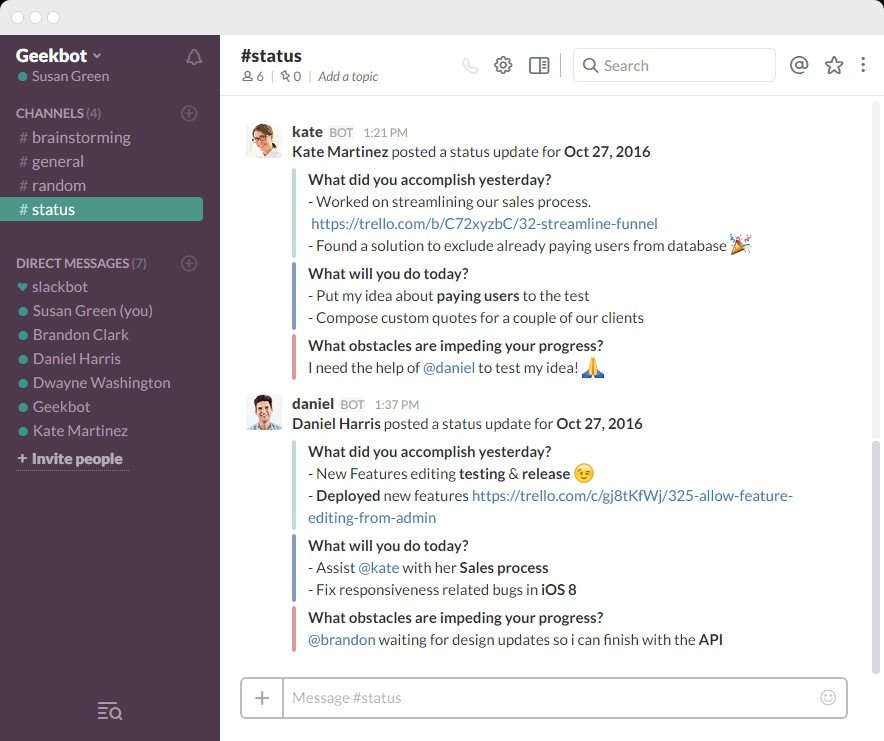
Geekbot is a slackbot assistant that helps users set up real asynchronous stand up meetings within Slack. The solution helps staff stay organized, up-to-date and aligned with the rest of the team. It only takes a few minutes to set up an initial standup with team members.
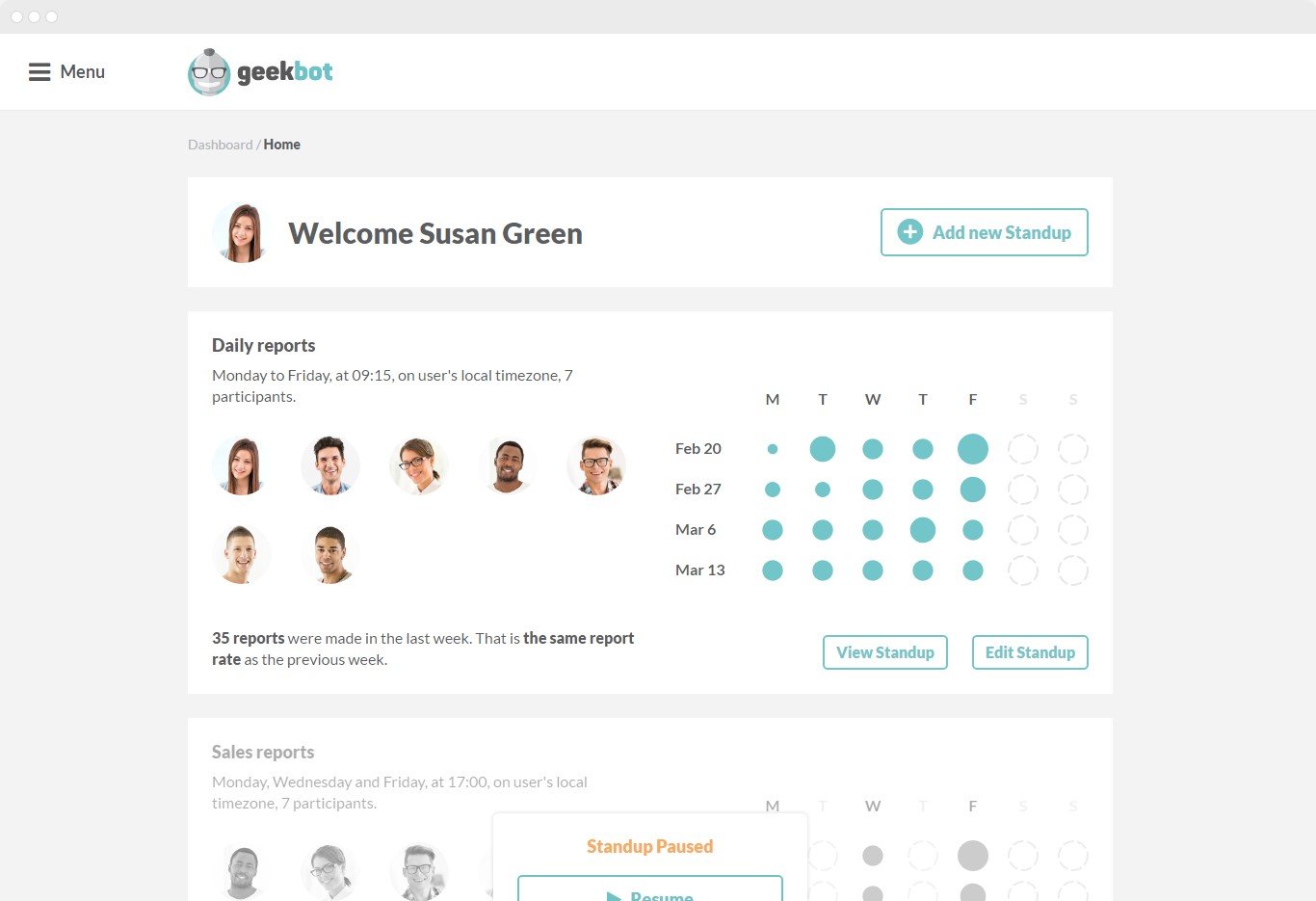
Geekbot creates a non-intrusive process to help teams stay focused on tasks. Each department can have its own timeline which is helpful for complex projects. Multiple standups break down information and distribute it to the right people directly.
Some of Geekbot's default set of questions include:
- What did you accomplish yesterday? - What will you do today? - What obstacles are impeding your progress?
Users can adjust and customize questions for each standup to better fit the department or team, as well as set a personalized tone. Geekbot can understand simple chat commands such as ‘login’, ‘report’, ‘off’, and primary users can choose who has privileges to edit, and who will be limited to reporting.
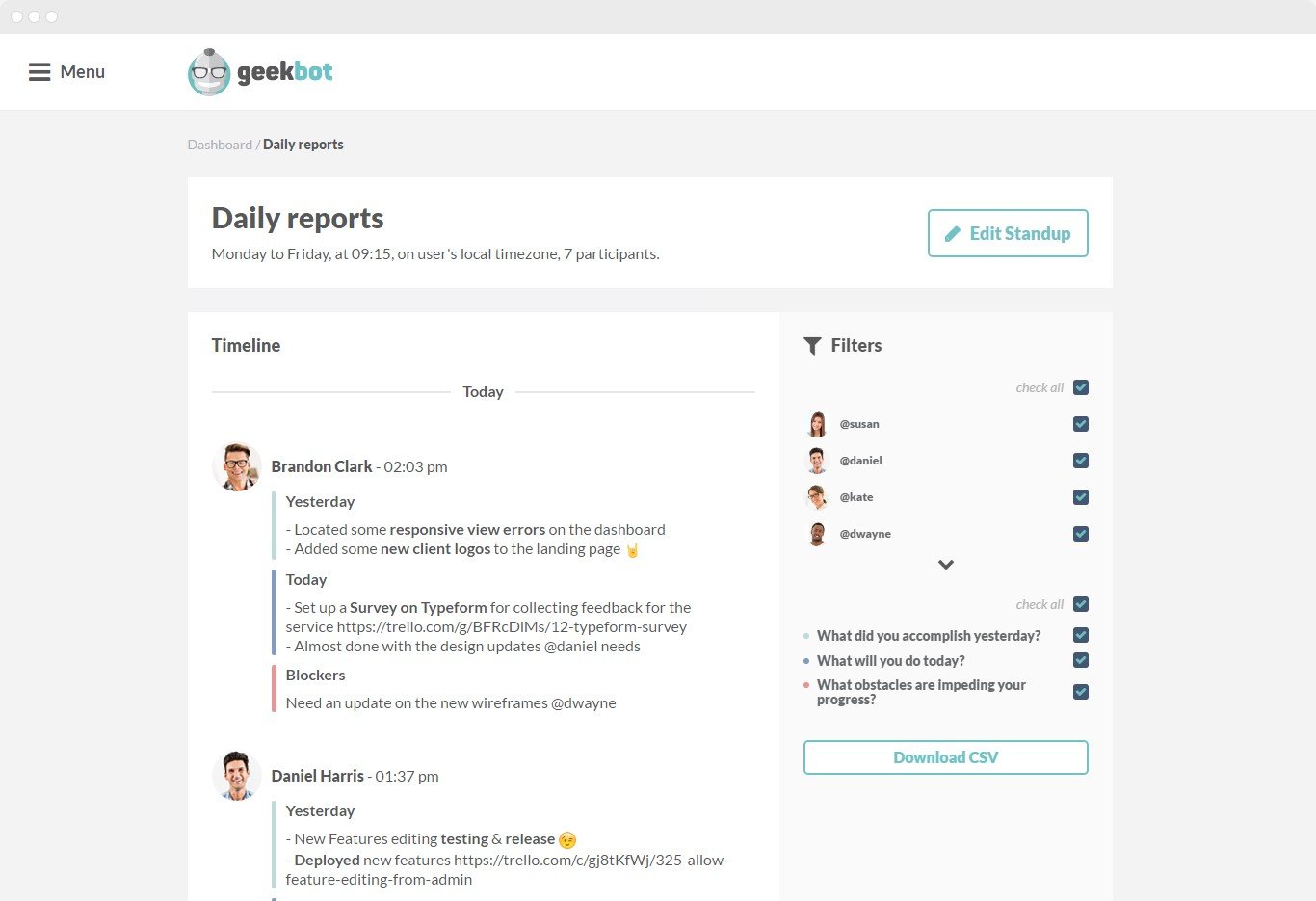
All information is distributed through Slack as well as inside the dashboard environment, where users can perform a variety of added actions such as report filtering and additional insights. Users can download standup data by clicking the ‘download CSV’ link manage their email summaries and more.