Typograf 대안
55개의 무료 및 유료 대안을 Typograf에 대한 목록으로 정리했습니다. 주요 경쟁 업체는 FontExpert, Font Book입니다. 이 외에도 사용자들은 Typograf와 RightFont, X-Fonter, Font Viewer 간에 비교를 하기도 합니다. 또한 여기서 다른 유사한 옵션을 살펴볼 수 있습니다: 운영 체제 및 유틸리티.


 소프트웨어
소프트웨어


5개의 무료 및 유료 대안을 Typograf에 대한 목록으로 정리했습니다. 주요 경쟁 업체는 FontExpert, Font Book입니다. 이 외에도 사용자들은 Typograf와 RightFont, X-Fonter, Font Viewer 간에 비교를 하기도 합니다. 또한 여기서 다른 유사한 옵션을 살펴볼 수 있습니다: 운영 체제 및 유틸리티.
5개의 무료 및 유료 대안을 Typograf에 대한 목록으로 정리했습니다. 주요 경쟁 업체는 FontExpert, Font Book입니다. 이 외에도 사용자들은 Typograf와 RightFont, X-Fonter, Font Viewer 간에 비교를 하기도 합니다. 또한 여기서 다른 유사한 옵션을 살펴볼 수 있습니다: 운영 체제 및 유틸리티.
FontExpert Font Manager를 사용하면 설치 및 제거 된 서체를 미리보고 관리 할 수 있으며 시스템에 글꼴 오류가 있는지 검사 할 수 있습니다. 설치된 글꼴, 사용자 정의 글꼴 샘플 및 고급 글꼴 속성 목록을 표시 할 수 있습니다.
 Windows
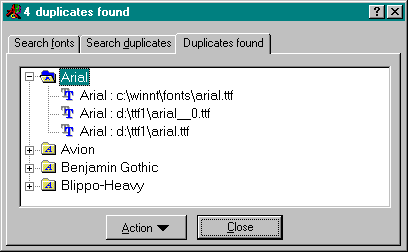
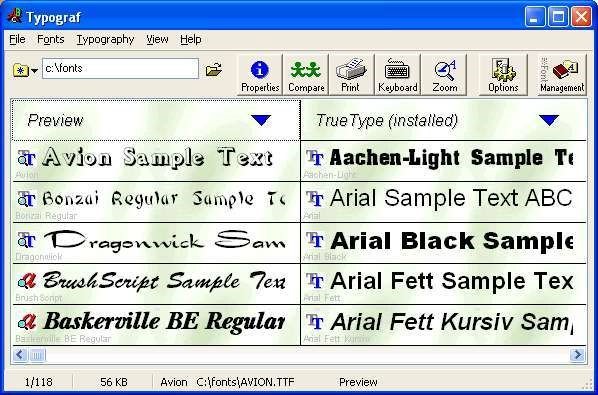
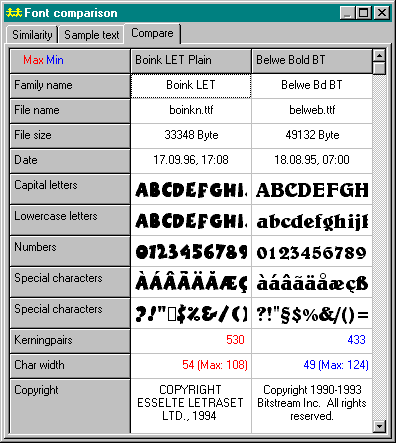
Typograf previews, prints and manages opentype, truetype, type1 and printer fonts.
The Typograf top class font manager
* previews all OpenType, TrueType, PostScript Type 1 and printer fonts,
* displays all font properties (typeface classification, kerning pairs, file data, copyright...),
* views character set, keyboard layout, zoom view,
* finds similar fonts and compares several fonts,
* prints fonts in many ways and
* manages fonts in database and font groups.
 Portable
소프트웨어에 대한 의견을 공유하고 리뷰를 남겨 더 나아지도록 도와주세요!
변경 제안


귀하의 의견
Your vote has been counted.
Do you have experience using this software?