Geekbot 대안
5555개의 무료 및 유료 대안을 Geekbot에 대한 목록으로 정리했습니다. 주요 경쟁 업체는 Box, Asana입니다. 이 외에도 사용자들은 Geekbot와 Synergy, Coda, eM Client 간에 비교를 하기도 합니다. 또한 여기서 다른 유사한 옵션을 살펴볼 수 있습니다: 오피스 및 생산성 소프트웨어.


 소프트웨어
소프트웨어


55개의 무료 및 유료 대안을 Geekbot에 대한 목록으로 정리했습니다. 주요 경쟁 업체는 Box, Asana입니다. 이 외에도 사용자들은 Geekbot와 Synergy, Coda, eM Client 간에 비교를 하기도 합니다. 또한 여기서 다른 유사한 옵션을 살펴볼 수 있습니다: 오피스 및 생산성 소프트웨어.

Asana는 팀이 작업과 프로젝트를 효율적으로 관리할 수 있는 종합 프로젝트 관리 소프트웨어입니다. 작업 생성 및 할당, 우선순위 설정, 진행 상황 추적, 파일 첨부 등의 기능을 제공합니다.

eM 클라이언트는 현대적이고 사용하기 쉬운 인터페이스를 갖춘 모든 기능을 갖춘 전자 메일 클라이언트입니다. eM 클라이언트는 일정, 작업, 연락처 및 채팅도 제공합니다.

글로벌 팀이 선호하는 선도적인 협업 플랫폼. 로컬에서 원격 팀에 이르기까지 Basecamp는 협업, 문서 공유, 프로젝트 일정 관리 및 회의나 이메일 등을 간소화합니다. 우리의 격찬을 탐구하고 오늘 무료로 사용해보십시오!

위키, 문서, 프로젝트를 위한 올인원 작업 공간입니다. 업무용 앱을 통합 플랫폼으로 간소화하여 협업과 생산성을 향상하세요. AI 통합으로 업무의 미래를 발견하세요.
 Web-Based
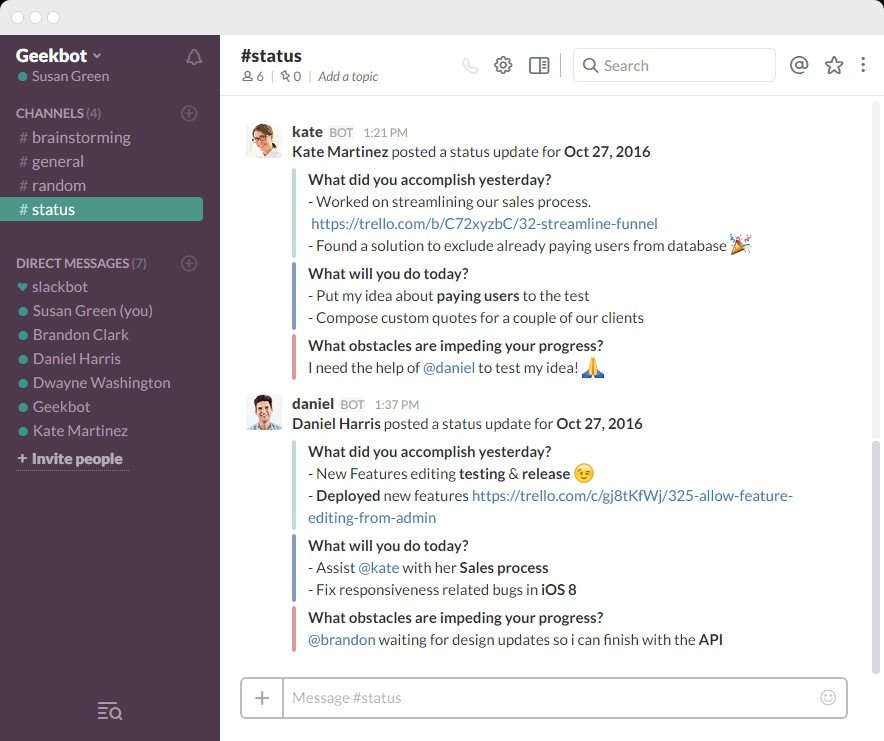
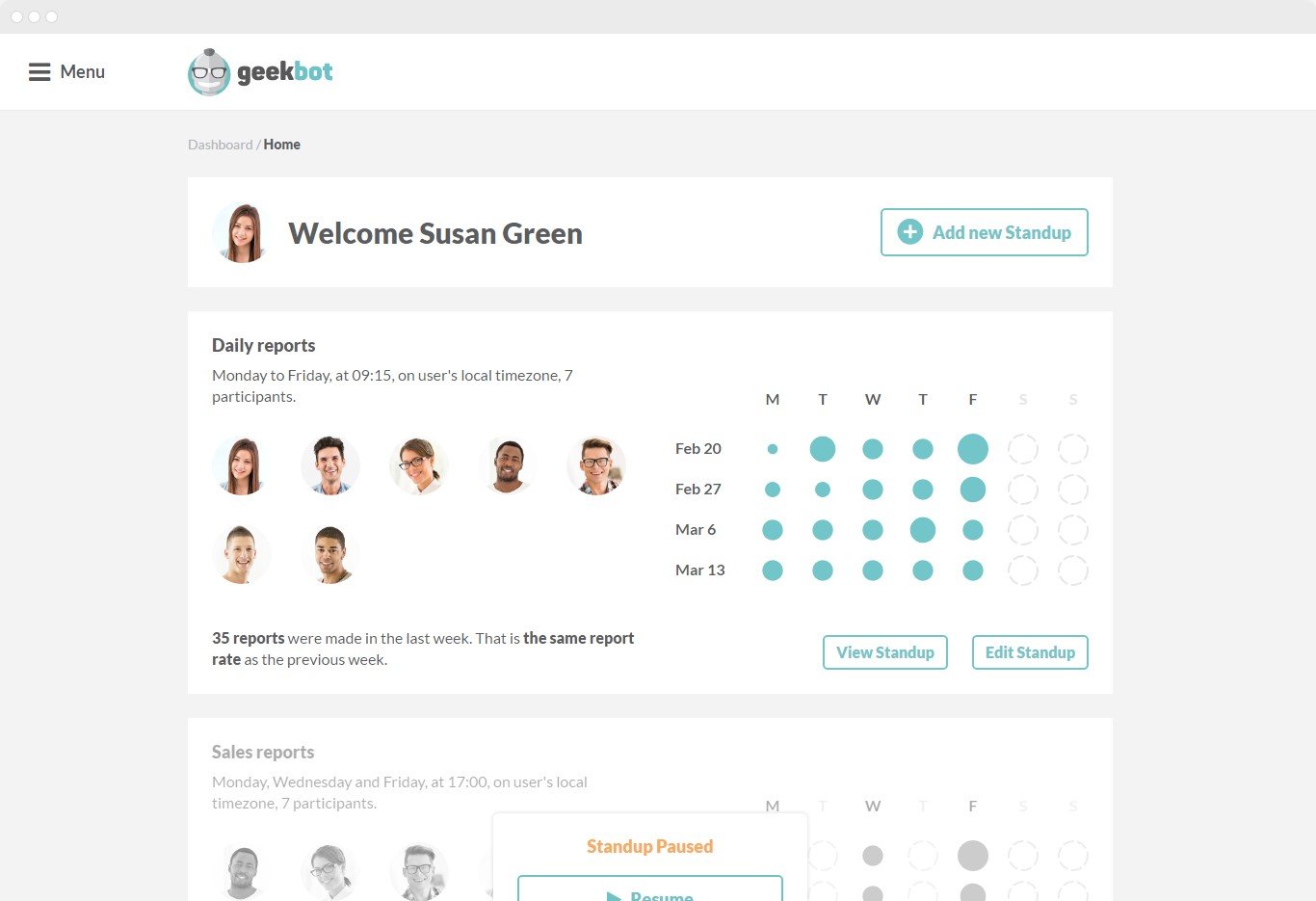
Geekbot is a slackbot assistant that helps users set up real asynchronous stand up meetings within Slack. The solution helps staff stay organized, up-to-date and aligned with the rest of the team. It only takes a few minutes to set up an initial standup with team members.
Geekbot creates a non-intrusive process to help teams stay focused on tasks. Each department can have its own timeline which is helpful for complex projects. Multiple standups break down information and distribute it to the right people directly.
Some of Geekbot's default set of questions include:
- What did you accomplish yesterday?
- What will you do today?
- What obstacles are impeding your progress?
Users can adjust and customize questions for each standup to better fit the department or team, as well as set a personalized tone. Geekbot can understand simple chat commands such as 'login', 'report', 'off', and primary users can choose who has privileges to edit, and who will be limited to reporting.
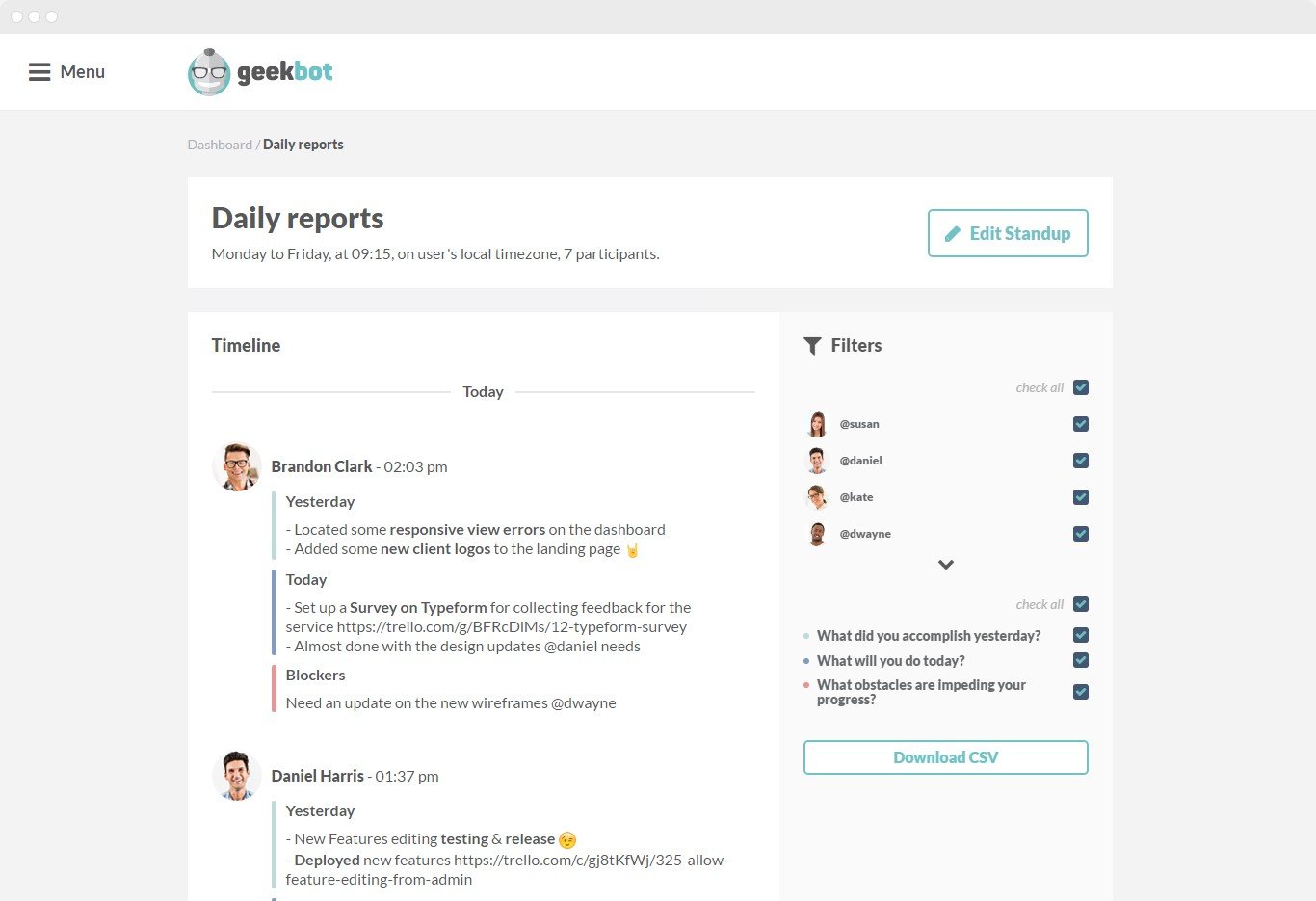
All information is distributed through Slack as well as inside the dashboard environment, where users can perform a variety of added actions such as report filtering and additional insights. Users can download standup data by clicking the 'download CSV' link manage their email summaries and more.
 Third Party Integrations
Productivity Tools
Project Planning/Scheduling
Milestone Tracking
Create Subtasks
Agile Methodologies
Employee Management
Customizable Templates
Chat/Messaging
Task Progress Tracking
Reminders
Customizable Fields
Collaboration Tools
Status Tracking
Search/Filter
Progress Tracking
Customizable Reports
Activity Dashboard
Project Management
Alerts/Notifications
Activity Tracking
Task Management
Scheduling
API
Third Party Integrations
Productivity Tools
Project Planning/Scheduling
Milestone Tracking
Create Subtasks
Agile Methodologies
Employee Management
Customizable Templates
Chat/Messaging
Task Progress Tracking
Reminders
Customizable Fields
Collaboration Tools
Status Tracking
Search/Filter
Progress Tracking
Customizable Reports
Activity Dashboard
Project Management
Alerts/Notifications
Activity Tracking
Task Management
Scheduling
API
소프트웨어에 대한 의견을 공유하고 리뷰를 남겨 더 나아지도록 도와주세요!
변경 제안


귀하의 의견
Your vote has been counted.
Do you have experience using this software?