Cradle 대안
1515개의 무료 및 유료 대안을 Cradle에 대한 목록으로 정리했습니다. 주요 경쟁 업체는 codebeamer, Enterprise Architect입니다. 이 외에도 사용자들은 Cradle와 Cerberus, Innoslate, SPEQit 간에 비교를 하기도 합니다. 또한 여기서 다른 유사한 옵션을 살펴볼 수 있습니다: 개발 소프트웨어, 웹 개발 도구.


 소프트웨어
소프트웨어


15개의 무료 및 유료 대안을 Cradle에 대한 목록으로 정리했습니다. 주요 경쟁 업체는 codebeamer, Enterprise Architect입니다. 이 외에도 사용자들은 Cradle와 Cerberus, Innoslate, SPEQit 간에 비교를 하기도 합니다. 또한 여기서 다른 유사한 옵션을 살펴볼 수 있습니다: 개발 소프트웨어, 웹 개발 도구.
15개의 무료 및 유료 대안을 Cradle에 대한 목록으로 정리했습니다. 주요 경쟁 업체는 codebeamer, Enterprise Architect입니다. 이 외에도 사용자들은 Cradle와 Cerberus, Innoslate, SPEQit 간에 비교를 하기도 합니다. 또한 여기서 다른 유사한 옵션을 살펴볼 수 있습니다: 개발 소프트웨어, 웹 개발 도구.


CodeBeamer는 소프트웨어 개발 및 시스템 엔지니어링을 위한 올인원 애플리케이션 수명 주기 관리(ALM) 플랫폼입니다. 요구사항 관리, 버전 관리, 버그 추적, 변경 관리, 테스트, 구성 관리 등을 위한 다양한 도구를 제공합니다.

Enterprise Architect is a collaborative modeling, design and management platform based on UML and...
Multi-user requirements management and software / systems engineering tool for agile / phased based...
Multi-user requirements management and software / systems engineering tool for agile / phased based...
 Linux
Linux
 Web-Based
 Windows
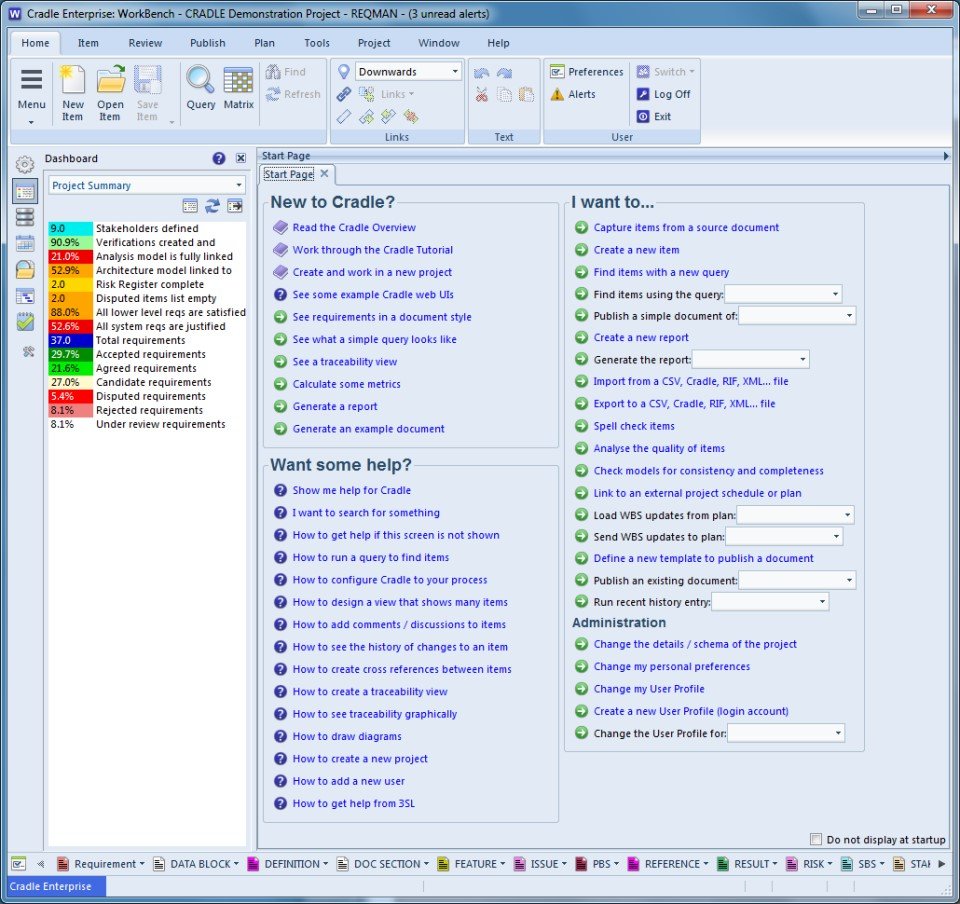
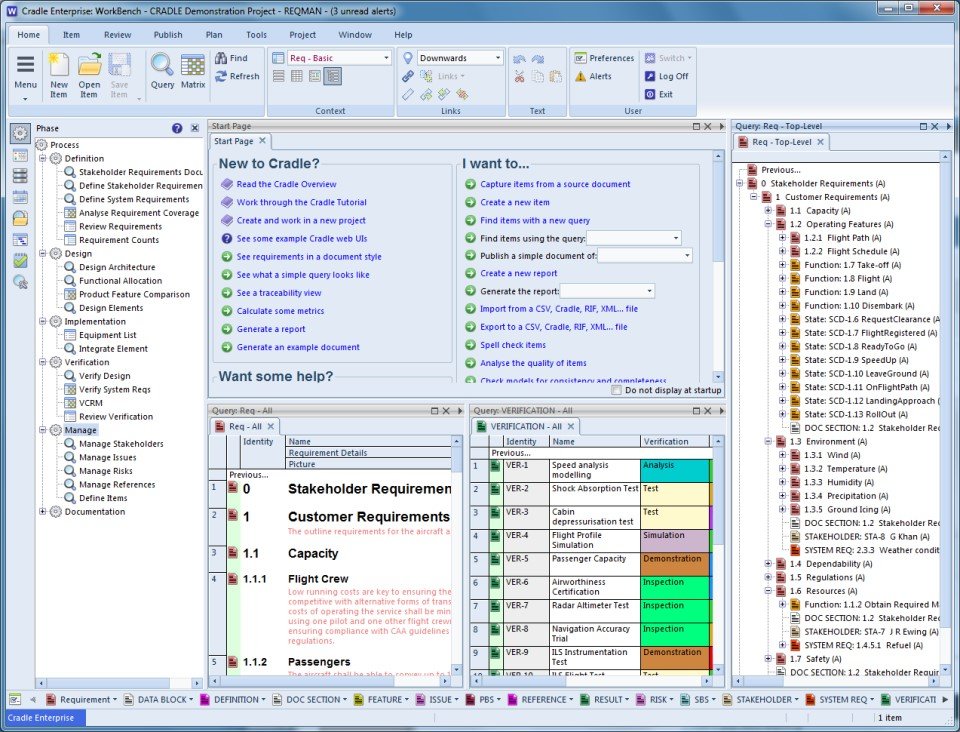
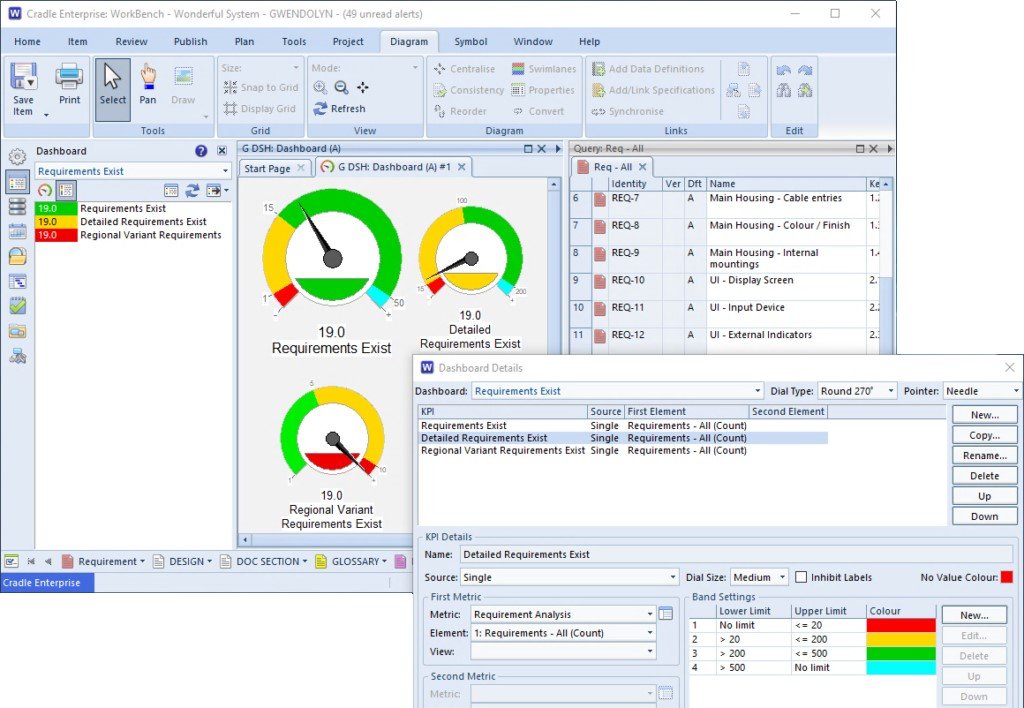
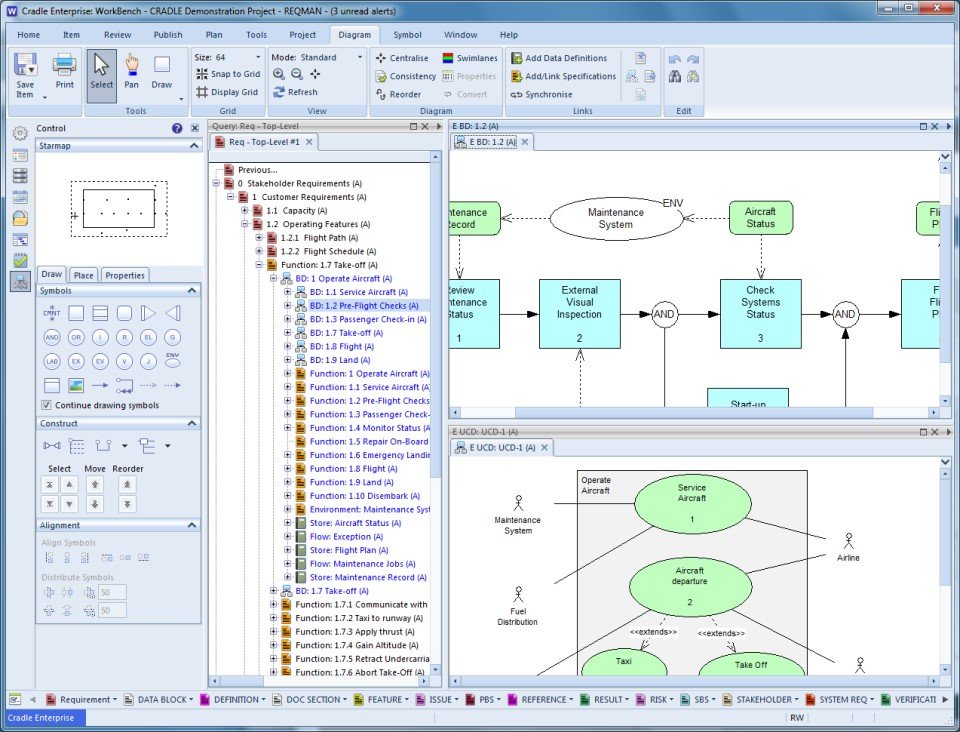
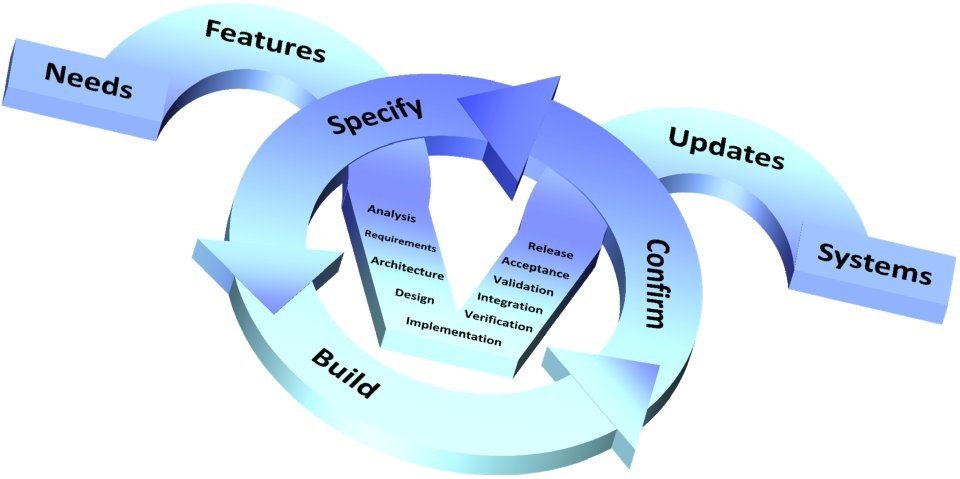
Cradle by 3SL is a requirements management and software / systems engineering tool for agile and phase-based projects including MBSE, agile development, document & project management. Cradle supports small or large teams, either co-located or distributed. It can support part or all of your entire systems development process, from initial requirements definition through analysis, architecture and detailed design, to test, deployment, acceptance and commissioning. It provides user-controllable levels of access control, change history tracking, and includes a full configuration management and control system with formal change control, reviews, baselines, version management and user-defined workflows. Cradle can be linked into any number of external tools for specific engineering disciplines. Cradle has user-defined and user-configurable non-web and web UIs. Cradle is available for in-house deployment or as a variety of SaaS solutions.
Common uses of Cradle:
- Capture and manage requirements, assumptions, justifications…
- Create models of use cases, functions, classes, data relationships
- Build system-of-systems, system or subsystem architectures
- Identify and manage system / subsystem interfaces
- Allocate functions to subsystems and equipments
- Define performance, AR&M (Availability, Reliability, Maintainability) and effectiveness
- Manage System, Product, Work and Cost Breakdown Structures (SBSs, PBSs, WBSs and CBSs) and link to project management data
- Perform test management at all levels
- Automate project documentation
- Create traceability across the entire lifecycle
- Collect metrics across the entire lifecycle
- Configuration manage and control the project
- Track all formal changes and/or individual edits
- Management information from dashboards, KPIs, burn-down / earned-value charts
- Integrate with desktop and specialist tools
- Provide customised web environments to project groups
 Version Control
To-Do List
Third Party Integrations
Requirements Review
Requirements Management
File Management
Drag & Drop
Data Import/Export
Bug Tracking
Lifecycle Management
Stakeholder Defined Attributes
Project Planning
Agile Methodologies
Customizable Templates
Traceability
Change Management
Projections
Prioritization
Multiple Projects
Collaboration Tools
Status Tracking
Document Management
Customizable Reports
Activity Dashboard
Template Management
Reporting & Statistics
Document Storage
Access Controls/Permissions
Reporting/Analytics
Task Management
API
Version Control
To-Do List
Third Party Integrations
Requirements Review
Requirements Management
File Management
Drag & Drop
Data Import/Export
Bug Tracking
Lifecycle Management
Stakeholder Defined Attributes
Project Planning
Agile Methodologies
Customizable Templates
Traceability
Change Management
Projections
Prioritization
Multiple Projects
Collaboration Tools
Status Tracking
Document Management
Customizable Reports
Activity Dashboard
Template Management
Reporting & Statistics
Document Storage
Access Controls/Permissions
Reporting/Analytics
Task Management
API

소프트웨어에 대한 의견을 공유하고 리뷰를 남겨 더 나아지도록 도와주세요!
변경 제안


귀하의 의견
Your vote has been counted.
Do you have experience using this software?