Select your language

Home arrow-right ... arrow-right OS and Utilities arrow-right Spacedesk

We've compiled a list of 6 free and paid alternatives to Spacedesk. The primary competitors include Mouse without Borders, Duet Display. In addition to these, users also draw comparisons between Spacedesk and Barrier, ZoneScreen, across. Also you can look at other similar options here: OS and Utilities.



Mouse w/o Borders makes you the captain of your computer fleet by allowing you to control up to 4...

Barrier
Free Open Source

Barrier is an open-source software that enables sharing a single keyboard and mouse across multiple computers. It works across different operating systems via network connection, improving workflow by allowing seamless control without extra hardware…

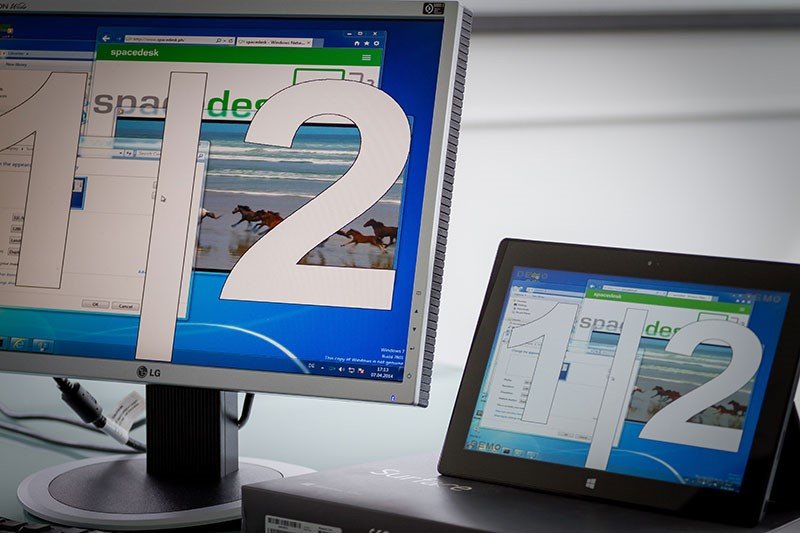
Spacedesk is software that turns devices into additional displays over a network. It allows users to extend or mirror their desktop to other computers, tablets, or smartphones. This improves productivity by enabling multi-screen setups without extra hardware.

Spacedesk Platforms

iPad iPad
iPhone iPhone
Android Android
Windows Windows

Spacedesk Video and Screenshots

Spacedesk Overview

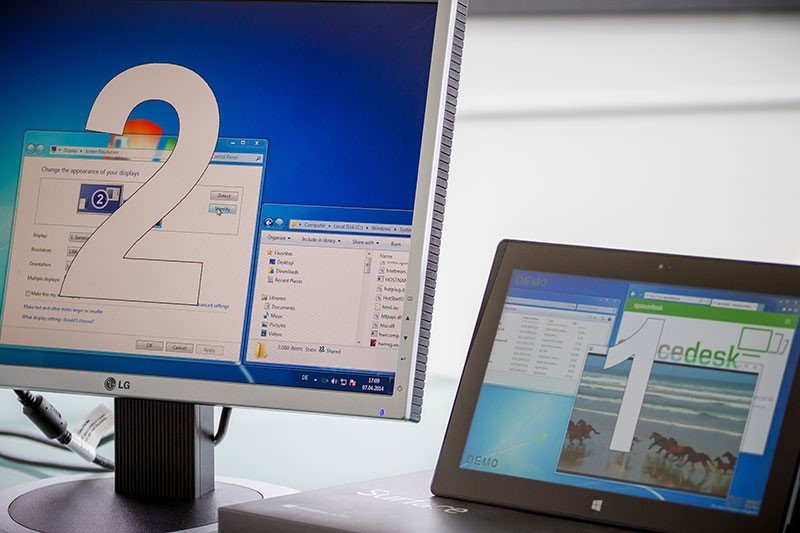
Spacedesk is a versatile software solution that transforms various devices into additional displays for Windows PCs, enhancing productivity and flexibility. It supports multiple connection methods, including USB, Wi-Fi, and LAN, allowing users to extend or mirror their desktop onto smartphones, tablets, or other computers. This capability is particularly beneficial for professionals needing extra screen real estate while traveling or working remotely. Spacedesk's features include touch input support, audio playback redirection, and the ability to function as a virtual monitor, making it a comprehensive tool for diverse display needs.

The primary advantages of Spacedesk lie in its cost-effectiveness and ease of use. As a free application, it provides a budget-friendly alternative to traditional multi-monitor setups. Its user-friendly interface ensures quick installation and seamless integration with existing systems. Spacedesk is compatible with various devices and operating systems, including Android, iOS, and Windows, offering a flexible and scalable solution for users seeking to enhance their workspace without additional hardware investments.

Spacedesk Features

tick-square Keyboard Sharing
tick-square Screen Mirroring
tick-square GNU/linux-libre

Top Spacedesk Alternatives

Share your opinion about the software, leave a review and help make it even better!

Spacedesk Categories

OS and Utilities

Spacedesk Tags

virtual-display secondary-monitor second-display network-display remote-display desktop-enhancement remote-control desktop-sharing

Suggest Changes

() out of 5

Your Feedback

Select a rating
Please select a rating

Your vote has been counted.

Do you have experience using this software?