Select your language

Home arrow-right ... arrow-right Office and Productivity Software arrow-right Scapple

We've compiled a list of 5 free and paid alternatives to Scapple. The primary competitors include Lucidchart, Mindomo. In addition to these, users also draw comparisons between Scapple and MindGenius, SimpleMind, BigHairyGoal. Also you can look at other similar options here: Office and Productivity Software.



Mindomo
Subscription Free Free Trial

Mindomo is the easiest online software for creating mind maps, concept maps, outlines and various...

MindGenius
Free Free Trial Subscription

MindGenius is an AI enhanced mind mapping tool that helps you capture, organize, and analyze information visually. It streamlines project planning, task management, and team collaboration by enabling you to easily share mind maps, assign tasks, and …

Scapple is an easy-to-use tool for getting ideas down as quickly as possible and making connections...

Scapple Platforms

Mac Mac
Windows Windows

Scapple Video and Screenshots

Scapple Overview

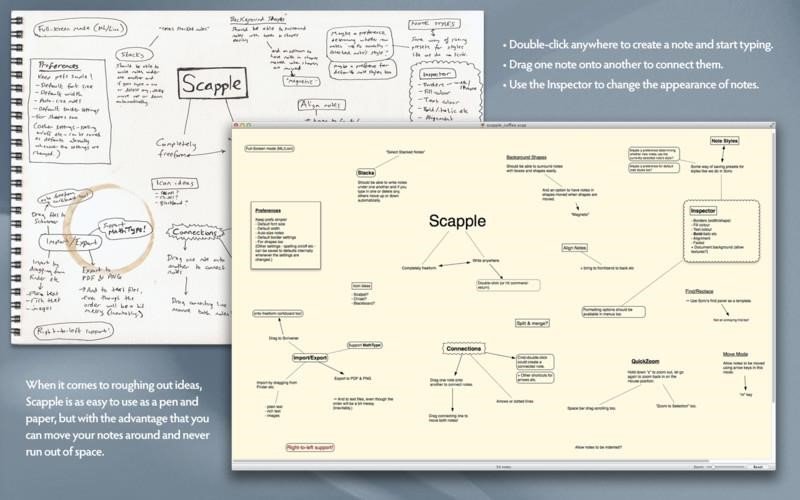
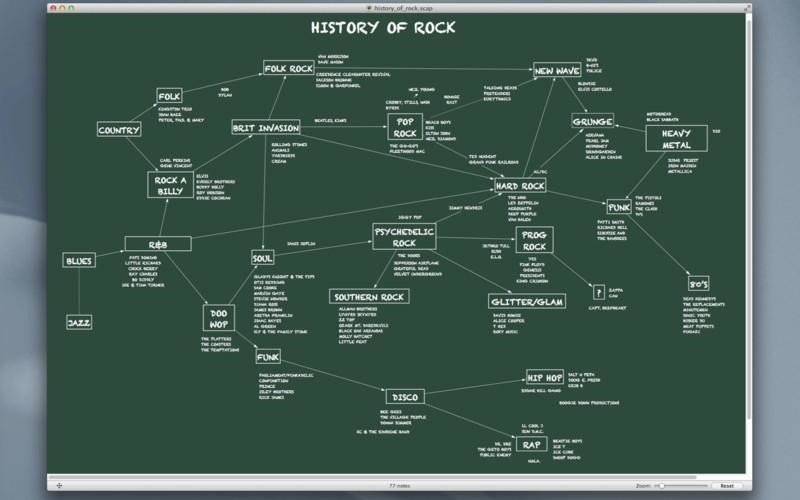
Scapple is an easy-to-use tool for getting ideas down as quickly as possible and making connections between them. It isn’t exactly mind-mapping software—it’s more like a freeform text editor that allows you to make notes anywhere on the page and to connect them using straight lines or arrows. If you’ve ever scribbled down ideas all over a piece of paper and drawn lines between related thoughts, then you already know what Scapple does.

Scapple doesn’t force you to make connections, and it doesn’t expect you to start out with one central idea off of which everything else is branched. There’s no built-in hierarchy at all, in fact—in Scapple, every note is equal, so you can connect them however you like. The idea behind Scapple is simple: when you are roughing out ideas, you need complete freedom to experiment with how those ideas best fit together.

Creating notes is as easy as double-clicking anywhere on the canvas and then typing; making connections between ideas is as painless as dragging and dropping one note onto another. And unlike paper, you can move notes around and never run out of space.

FEATURES
• Simple—and fun—to use
• Completely freeform
• Write notes anywhere on the virtual paper
• Connect notes using drag and drop
• Move and arrange notes easily
• Create background shapes to group notes
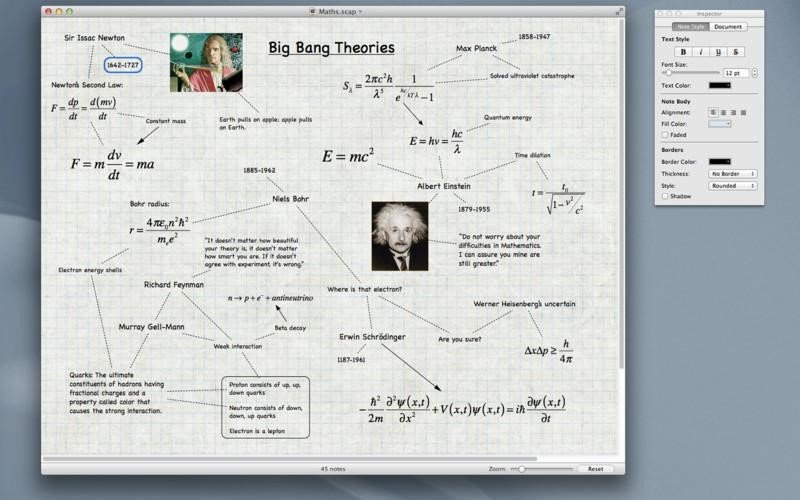
• Customise the appearance of notes including font style, colours and a choice of border styles
• Stack notes in columns of related ideas
• MathType support
• Full screen mode (Lion and above)
• iCloud support (10.8 and above)
• Export to popular formats or print your ideas
• Easily drag notes into Small Scrivener iconScrivener for further development

Scapple Features

tick-square Notetaking
tick-square Fullscreen support

Share your opinion about the software, leave a review and help make it even better!

Scapple Tags

mathtype ideas mind-mapping note-taking

Suggest Changes

() out of 5

Your Feedback

Select a rating
Please select a rating

Your vote has been counted.

Do you have experience using this software?