Select your language

Home arrow-right ... arrow-right Development Tools arrow-right Quiver

We've compiled a list of 46 free and paid alternatives to Quiver. The primary competitors include Simplenote, Notezilla. In addition to these, users also draw comparisons between Quiver and Standard Notes, Remember The Milk, CintaNotes. Also you can look at other similar options here: Development Tools.



CherryTree
Free Open Source

A hierarchical note taking application, featuring rich text and syntax highlighting, storing data...

(2)
5.0 out of 5
Notion
Subscription Free Free Trial

Your all-in-one workspace for wiki, documents, and projects. Streamline your work apps into a unified platform, enhancing collaboration and productivity. Discover the future of work with AI integration.

Things
One Time License Free Trial

Quiver Platforms

Mac Mac

Quiver Video and Screenshots

Quiver Overview

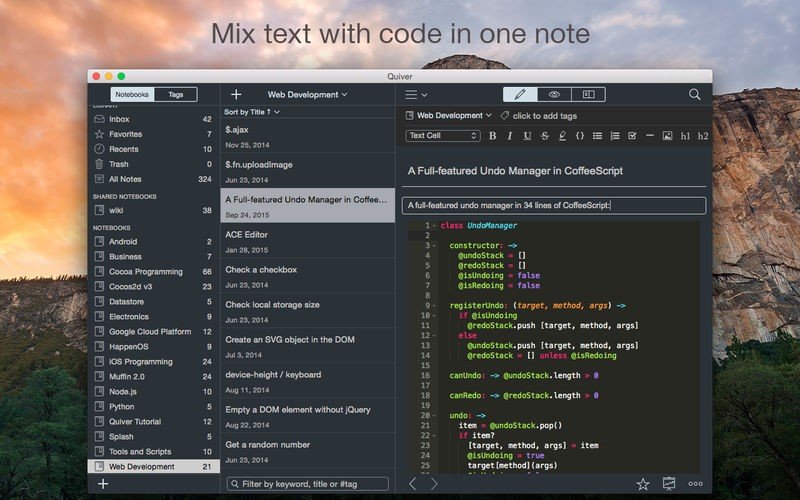
Quiver is a notebook built for programmers. It lets you easily mix text, code and Markdown within one note, edit code with an awesome code editor, live preview Markdown and LaTeX cells, and find any note instantly via the full-text search.

## Mix Text, Code and Markdown

A note in Quiver is comprised of cells --- snippets of text, code, Markdown or LaTeX. You can freely mix different cell types within one note. You can set different languages for different code cells, too.

## Edit In Place

Whether you are writing code or text, editing is always made in-place. There is no mode switching in Quiver. You just click inside the editor and start typing.

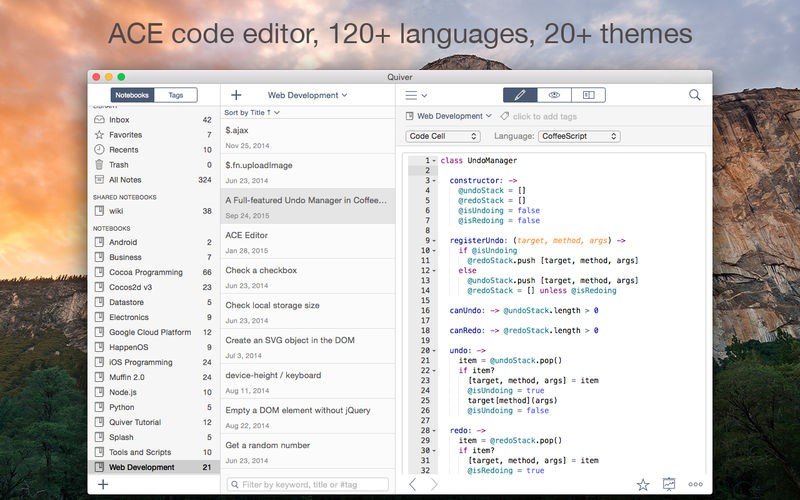
## An Awesome Code Editor

The programmer's notebook should make code editing effortless. Quiver packs the awesome ACE code editor in code cells, with syntax highlighting support for more than 110 languages, over 20 themes, automatic indent and outdent, and much more.

## Markdown Support

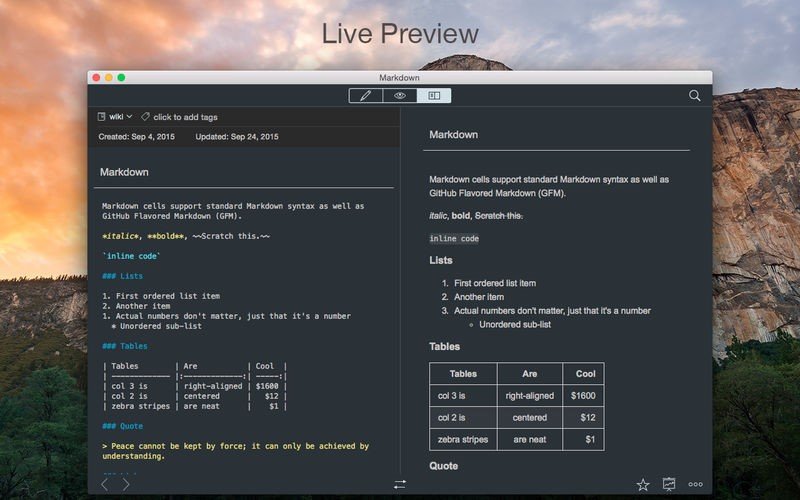
Quiver lets you write in Markdown with inline formatting and custom CSS options. A live preview window renders Markdown as you type.

## LaTeX Support

Quiver has built-in LaTeX support (thanks to MathJax), so it’s easy to include beautifully typeset mathematical equations in your notes.

## Images, Files and Links

Drag an image into a text cell and it will be saved locally with the note. Drag a file into a text cell and it will become a clickable file link. URLs in text cells are automatically detected.

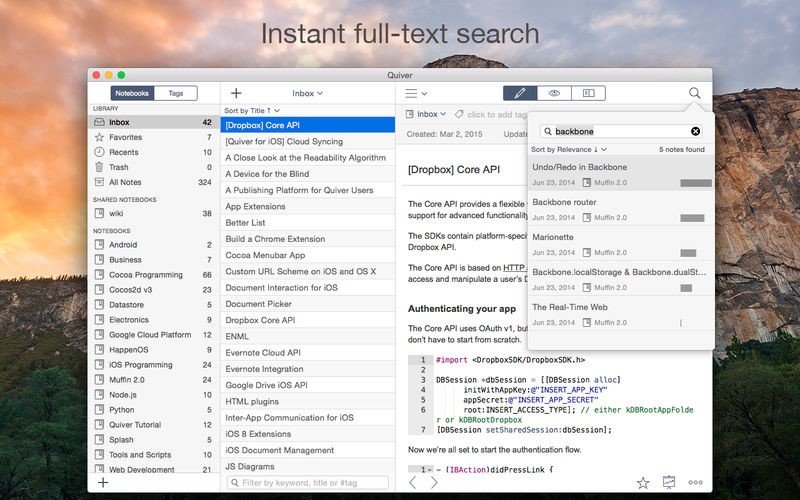
## Instant Full-Text Search

Notes are only useful if you can find them quickly. Quiver's full-text search is based on Search Kit, the same technology used to power Spotlight on your mac. That's how Quiver can search through thousands of notes in a blink of an eye.

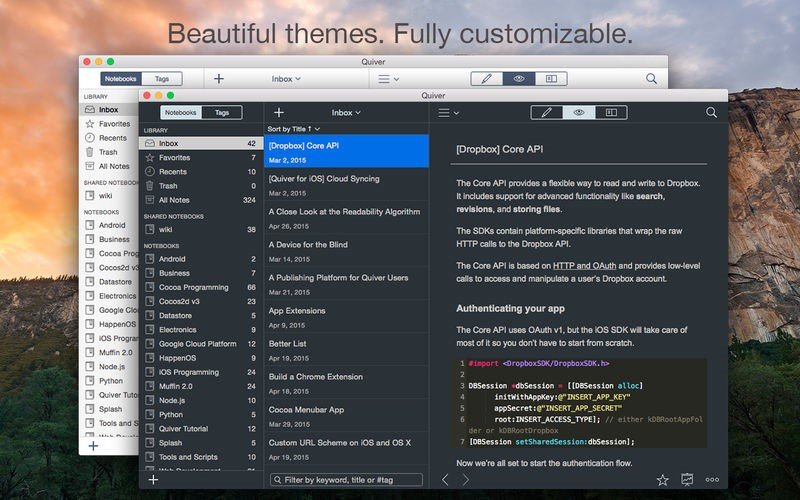
## Two Beautiful UI Themes

Quiver comes with two beautifully designed UI themes: a light theme and a dark theme.

## Live Preview

Quiver supports live preview of Markdown and LaTeX cells.

Quiver Features

tick-square Support for LaTeX
tick-square Sync with Dropbox
tick-square Syntax Highlighting
tick-square MarkDown support
tick-square Code formatting
tick-square Live Preview
tick-square Full text search

Share your opinion about the software, leave a review and help make it even better!

Quiver Categories

Development Tools

Quiver Tags

code-snippet-manager markdown-editor code-snippets developer-tools code-editor

Suggest Changes

() out of 5

Your Feedback

Select a rating
Please select a rating

Your vote has been counted.

Do you have experience using this software?