Product design platform for businesses to create, test, and collaborate. It offers color variables, layouts, shared libraries, vector editing tools, and plugins.
Adobe After Effects is software for creating motion graphics and visual effects. It enables users to design animations, composite video layers, and add effects for film, TV, and web content. It supports advanced keyframing, 3D rendering, and integra…
PaintShop Pro is photo editing software from Corel that offers a wide range of tools for editing, enhancing, and correcting images. It includes features like layers, masks, drawing tools, and support for RAW files. Users can retouch photos, create c…
Online graphic design platform with ready-made templates and image editing tools. Users can upload custom assets, fonts, and sounds to personalize their designs.
A cloud-based AI-powered photo editing tool for creating comics, webtoons, and animations. It ensures character and style consistency while enabling users to design assets, generate AI art, and craft digital visuals.
Krita is a complete creative sketching and painting application with advanced, commercial quality...
Krita is a complete creative sketching and painting application with advanced, commercial quality...
Krita Platforms
Linux
Mac
Web-Based
Windows
Krita Video and Screenshots
Krita Overview
Krita is a complete creative sketching and painting application with advanced, commercial quality features. It's free, open-source and available across all major desktop platforms.
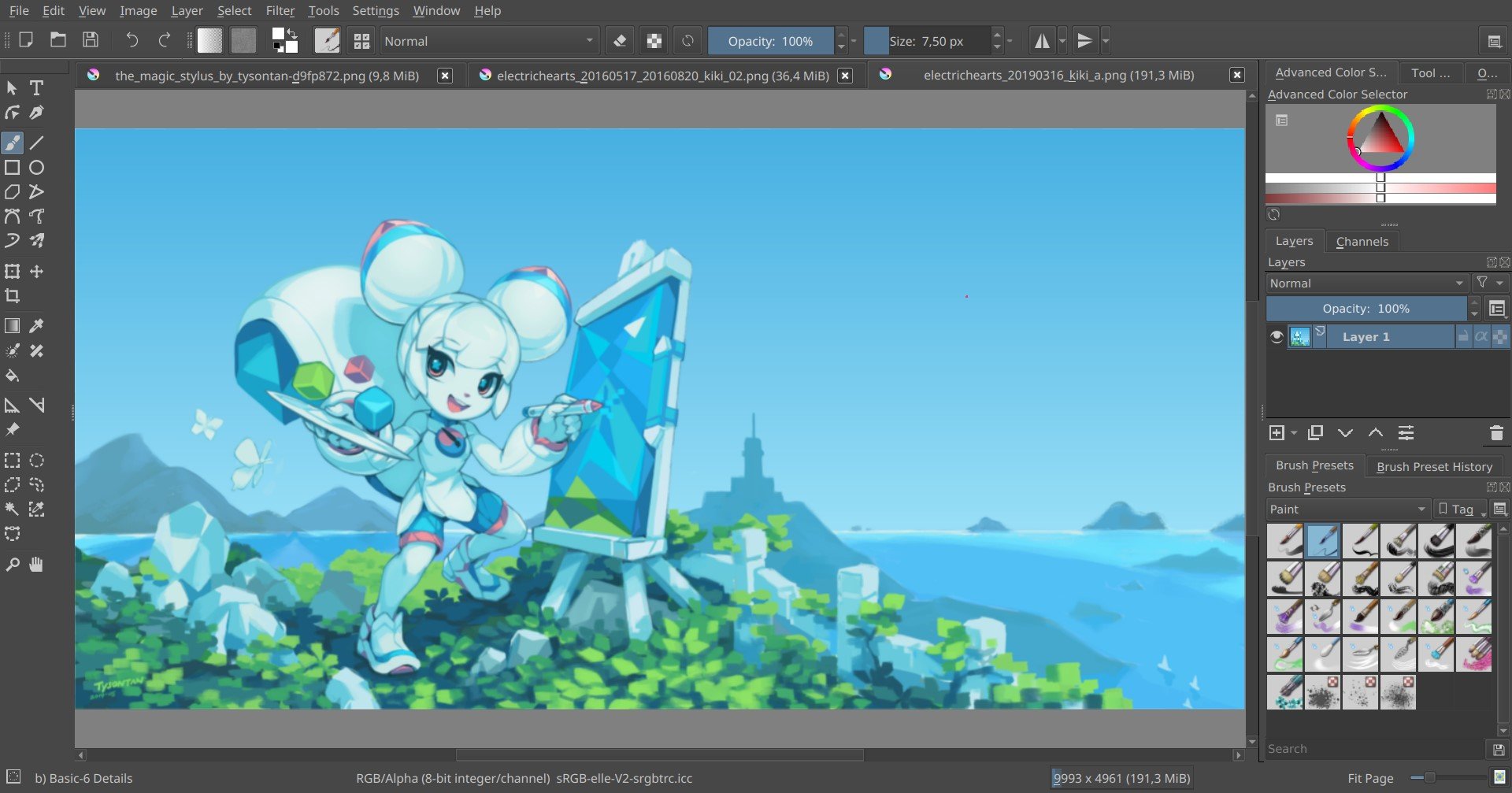
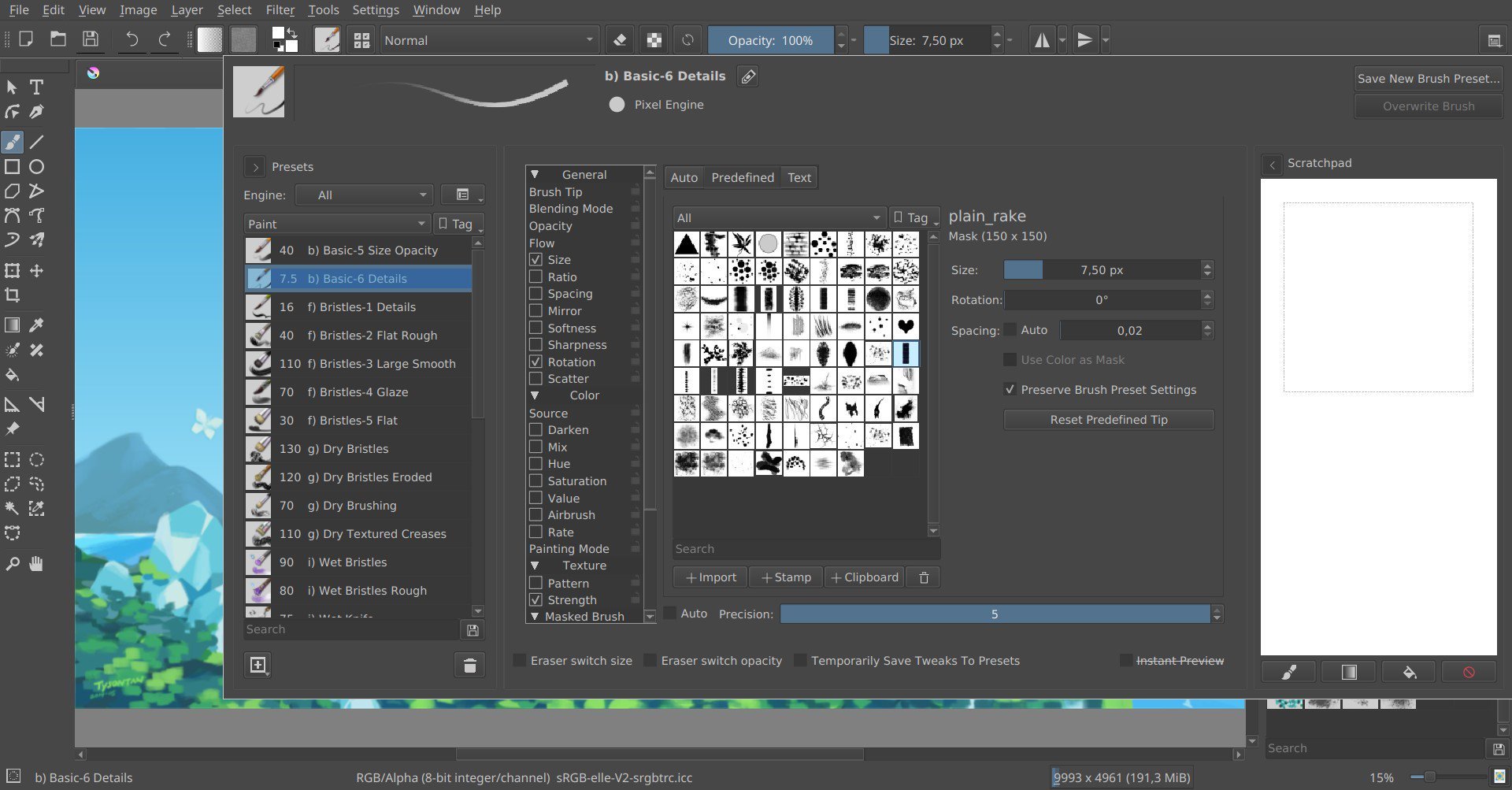
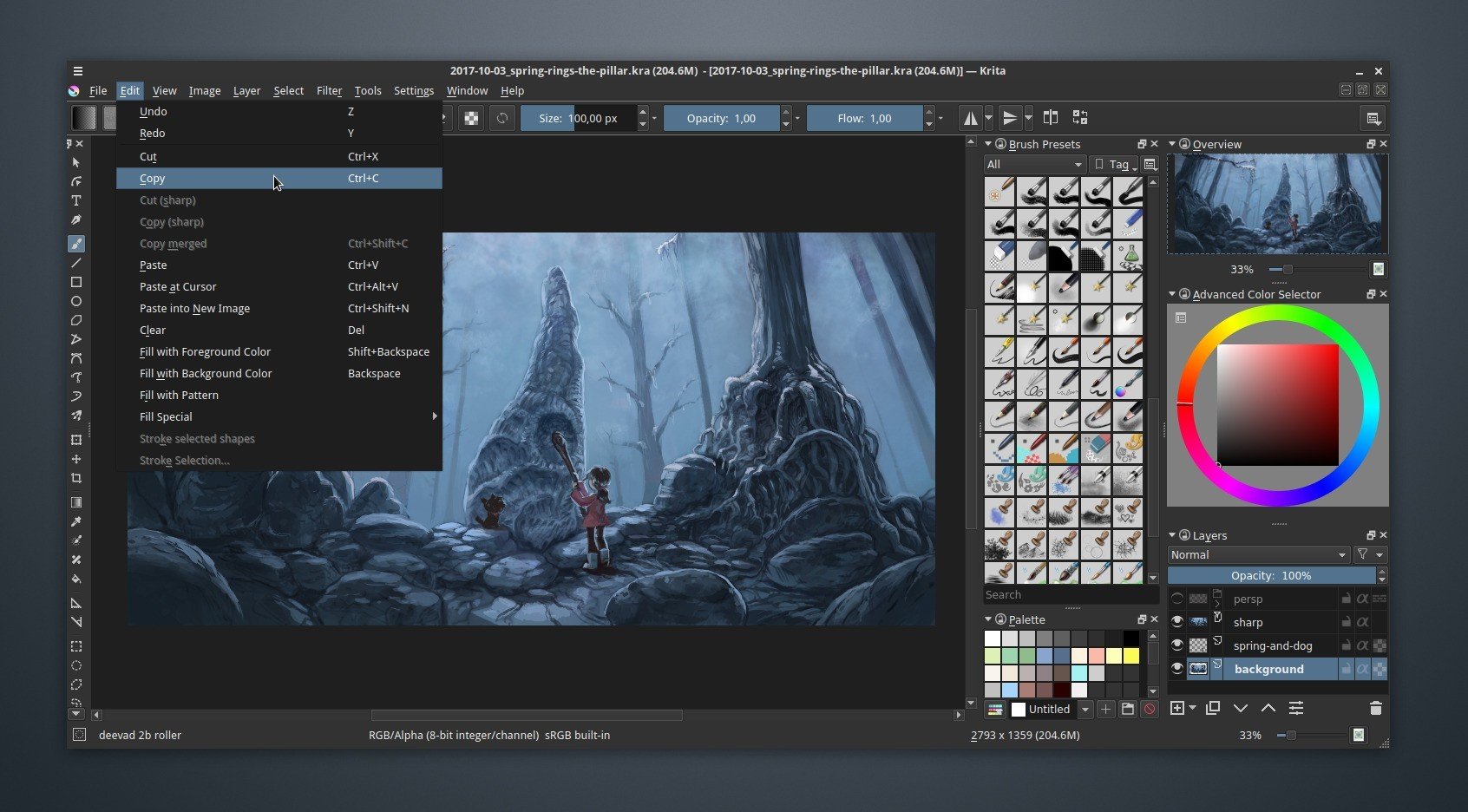
User Interface - An intuitive user interface that stays out of your way. The dockers and panels can be moved and customized for your specific workflow. Once you have your setup, you can save it as your own workspace. You can also create your own shortcuts for commonly used tools.
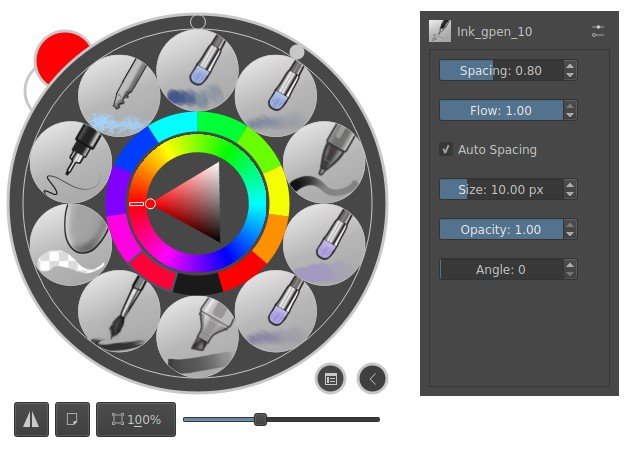
Pop-up Palette - Quickly pick your color and brush by right-clicking on the canvas.
Brush Stabilizers - Have a shaky hand? Add a stabilizer to your brush to smoothen it out.
Brush Engines - Customize your brushes with 9 unique brush engines.
Wrap-around mode - It is easy to create seamless textures and patterns now. Press the ‘W’ key while painting to toggle wrap-around mode.
Resource Manager - Import brush and texture packs from other artists to expand your tool set.
Layer Management - Krita comes with vector, filter, group, and file layers. Combine, order, and flatten layers to keep organized. Add drop shadows and other simple effects using visual styles.
Full Color Management - Krita supports full color management through LCMS for ICC and OpenColor IO for EXR, allowing you to incorporate Krita into your existing color management pipeline.