Nós compilamos uma lista de 10 alternativas gratuitas e pagas para o Textastic. Os principais concorrentes incluem: Notepad++, Vim. Além disso, os usuários também fazem comparações entre Textastic e Visual Studio Code, Coda, TextMate. Além disso, você pode conferir outras opções semelhantes aqui: Ferramentas de desenvolvimento.
Nós compilamos uma lista de 10 alternativas gratuitas e pagas para o Textastic. Os principais concorrentes incluem: Notepad++, Vim. Além disso, os usuários também fazem comparações entre Textastic e Visual Studio Code, Coda, TextMate. Além disso, você pode conferir outras opções semelhantes aqui: Ferramentas de desenvolvimento.
O Notepad++ é um editor de texto gratuito que suporta o realce de sintaxe codificado por cores para diferentes linguagens de programação, o preenchimento automático, a capacidade de abrir diferentes separadores com diferentes ficheiros ao mesmo temp…
O Visual Studio Code é um editor de código versátil adaptado para o desenvolvimento moderno de aplicações Web e na cloud. É gratuito, multiplataforma e possui um rico ecossistema de extensões.
Textastic is a text editor for iPhone, iPad and Mac with rich support for syntax highlighting, FTP...
Textastic is a text editor for iPhone, iPad and Mac with rich support for syntax highlighting, FTP...
Textastic Plataformas
iPad
iPhone
Mac
Textastic Vídeo e capturas de tela
Textastic Visão geral
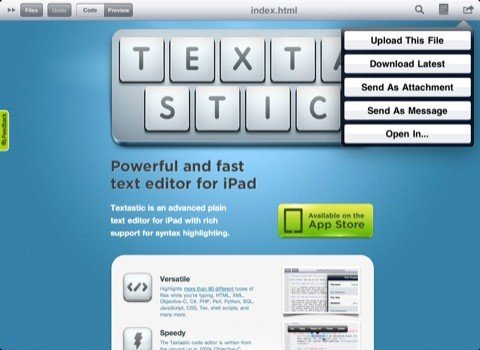
Textastic is a text editor for iPhone, iPad and Mac with rich support for syntax highlighting, FTP, SFTP and Dropbox.
CARACTERÍSTICAS
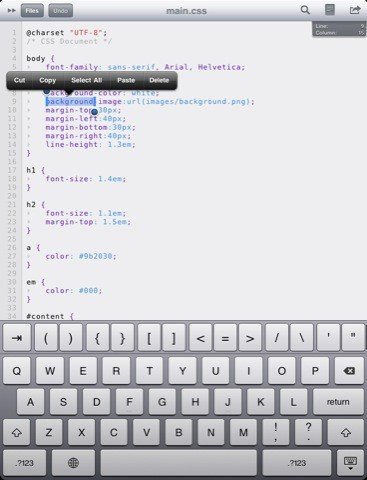
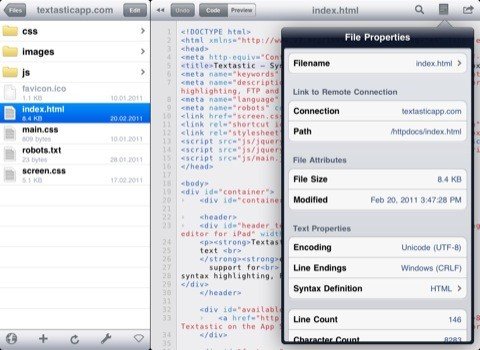
• Syntax highlighting of more than 80 languages: HTML, XML, Markdown, Objective-C, C++, PHP, Perl, Python, SQL, JavaScript, CSS, shell scripts and many more (full list available on the website) • Compatible with TextMate syntax definitions and themes • Code completion for HTML, CSS, JavaScript and PHP functions • FTP, FTPS (FTP over SSL), SFTP (SSH connection), WebDAV and Dropbox clients • iCloud • WebDAV server • Symbol list to quickly navigate in a file • Full external keyboard support • Displays additional keys over the virtual keyboard to make it easy to type characters often used for programming • Easily move the cursor using swipe gestures • Supports most encodings like UTF-8, ISO-8859-1, CP 1251 or MacRoman • Supports different tab widths and soft tabs (spaces instead of tabs) • Customizable font and font sizes • Undo & Redo • Find & Replace • File information like character count and word count • Send files by email • Local and remote web preview for html and Markdown files • Supports TextExpander touch snippet expansion
Textastic supports several ways to import your files: • Over USB via iTunes File Sharing • By using "Open In" in other apps • Connect to (S)FTP and WebDAV servers, and Dropbox • Over Wi-Fi with the built-in WebDAV server